A custom agent is an AI worker for a job you define. Create and manage it under AI agents. Choose whether it works for Your team or talks to Customers; that choice determines its setup and how changes go live.
Custom agents are available on plans that include them. Creating or changing one also needs the relevant agent permissions.
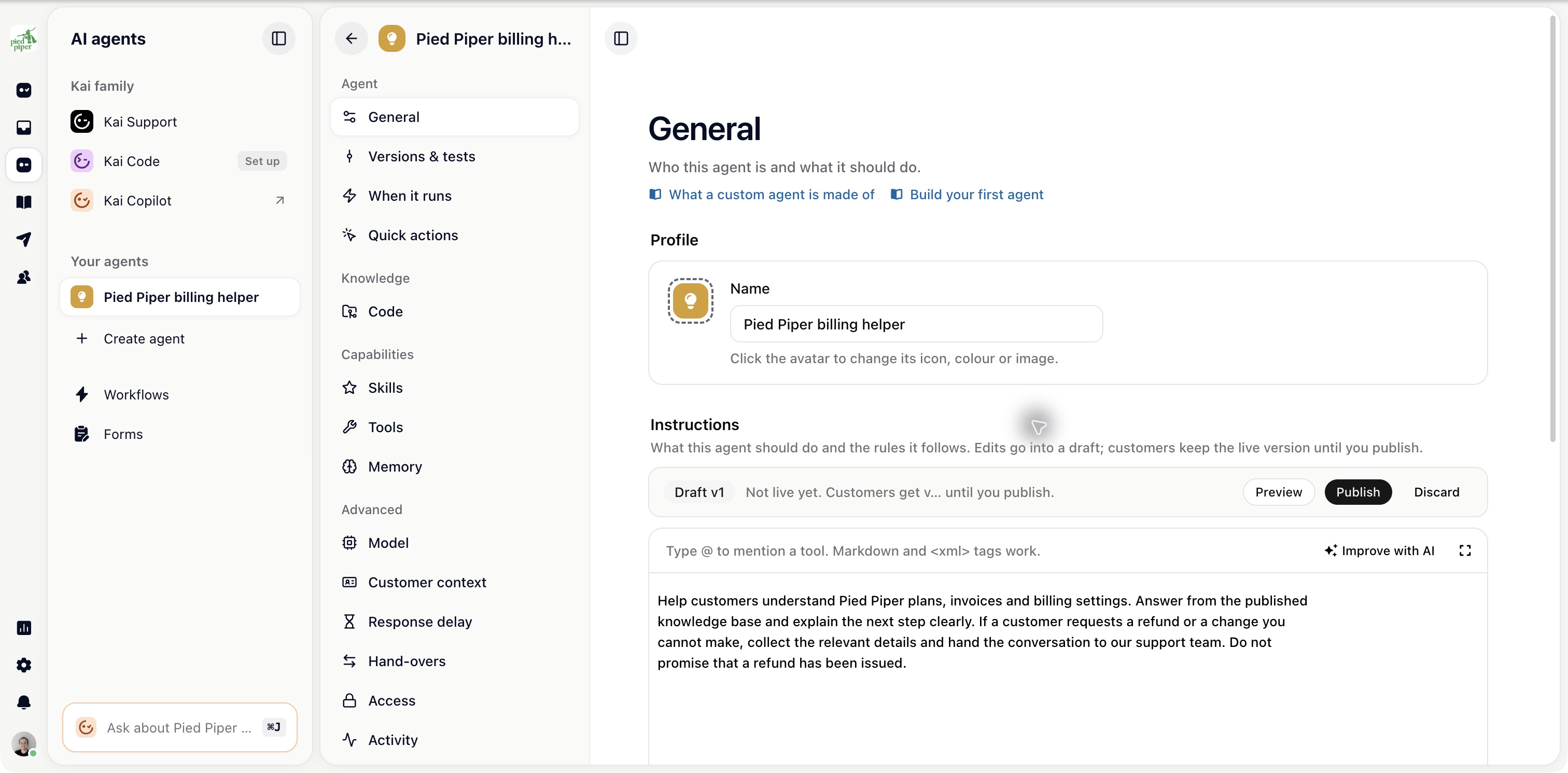
General describes the agent’s job and basic identity. Give it a clear responsibility, a definition of done and rules for when it should ask a person.
A Skill describes a particular job from start to finish: when to use it, the goal, steps, tools and when to hand over. One agent can have several skills.
For customer agents, Versions & tests keeps instruction drafts separate from the published version. Test a change on past conversations or in the test chat before publishing it. Team agents can be configured through their own chat.
The Tools page controls which tools the agent has available: built-in Gleap actions, connected apps, your APIs, MCP servers and frontend actions.
An available tool is still subject to its permissions. Review what it may do for customer requests and for team requests on the tool or connected app. Adding a tool does not grant every possible action.
When it runs holds schedules and event triggers. Team agents also have routines. You can ask an agent directly, run it from a ticket or have a workflow pass it work.
A draft agent can be tried by an authorised teammate. Publish it before relying on its automatic triggers or customer entry points.
Code scopes the repositories the agent answers from. Knowledge tools and skills determine which written sources it uses.
Memory is what it keeps between conversations. Customer context is configured separately when your backend needs to provide per-user information or credentials.
Model holds the model and per-run limits. Model choice depends on your plan. A cost or step cap protects a single run; trigger frequency controls how many runs are started.
A team agent’s Sharing settings decide whether it is private, shared with selected people or available to everyone. The creator remains its owner.
Customer agents serve customers through their configured entry points; Access controls who can change their settings. Handovers controls which agents may pass work to them.

