Feature requests collect customer ideas, votes and conversations in one place. Your team works them under Inbox → Roadmap. Customers can follow the public feedback portal, while release announcements live under Outreach → Changelog.
Configure the portal under Settings → Feedback portal. Configure AI work under Kai Copilot → Settings → Roadmap & changelog.
Customers can submit a request through the portal or widget. A teammate can also create one from a support conversation, keeping the customer’s request connected to the roadmap.
New projects start with an Ideas intake lane that is hidden from the public. A submitted request can therefore exist in Gleap before it appears on the public roadmap.
Open Inbox → Roadmap.
Open a request to read its context, votes and conversation.
Move it through your team’s lanes as its status changes.
Use the board menu’s Board settings to configure lanes and which ones are public.
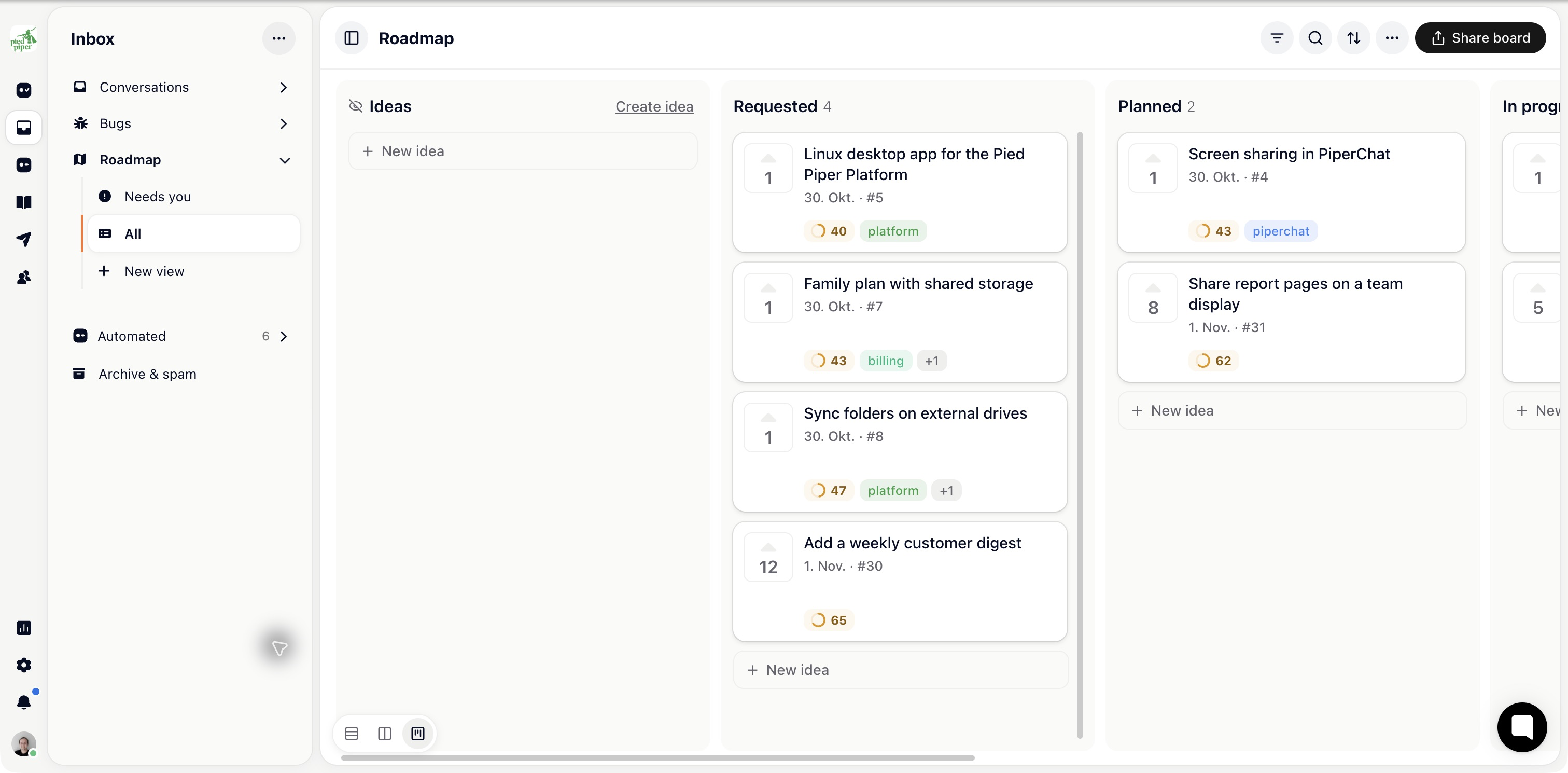
New projects include Ideas, Requested, Planned, In progress, Released and Closed. Your workspace may have customised those lanes. Hidden lanes stay off the public roadmap.
See Work the roadmap board for the current board workflow.
Under Kai Copilot → Settings → Roadmap & changelog, choose what Kai may do with new requests, duplicates, shipped updates and release notes. Permissions such as Asks first, Does it and Never determine whether it prepares work for review or carries it out.
Work awaiting a decision appears in Needs you. Review the proposed action and any customer reply before approving it. The roadmap no longer has a separate Kai PM setup or chat: use Kai Copilot.
A feature request has a private conversation with its requester and a public discussion on the portal. The composer offers Reply to requester and Public reply.
Public replies are emailed to everyone who upvoted. Replies to the requester stay private. When replying to a particular message, check which conversation it belongs to.
Use Copy share link to share the request’s page on the portal.
Votes stay with the request. When duplicates are merged, their votes are brought together. Review proposed merges and the original context so different needs are not lost in one broad request.
Open Settings → Feedback portal → General to copy the portal URL or embed code. Replace old public-board links and iframes that show “This board has moved”.
To hide the roadmap while keeping other portal pages available, open SEO & customization and set the Roadmap header link to Nobody. Signed-in users restricts it to customers who sign in through your configured login page.

