
Stages are meant to change as you learn what your process really looks like. Everything about them can be edited after the pipeline exists. Only what the pipeline tracks is fixed.
Open the pipeline and open Pipeline actions → Pipeline settings in the header.
Under Stages, click a name to rename it, drag the handle to reorder, or click the dot to pick a colour.
Click Add stage for a new one. It's added at the end; drag it into place.
Click Save.
The board shows the new stages straight away. Renaming is safe: entries stay where they are and the column simply relabels.
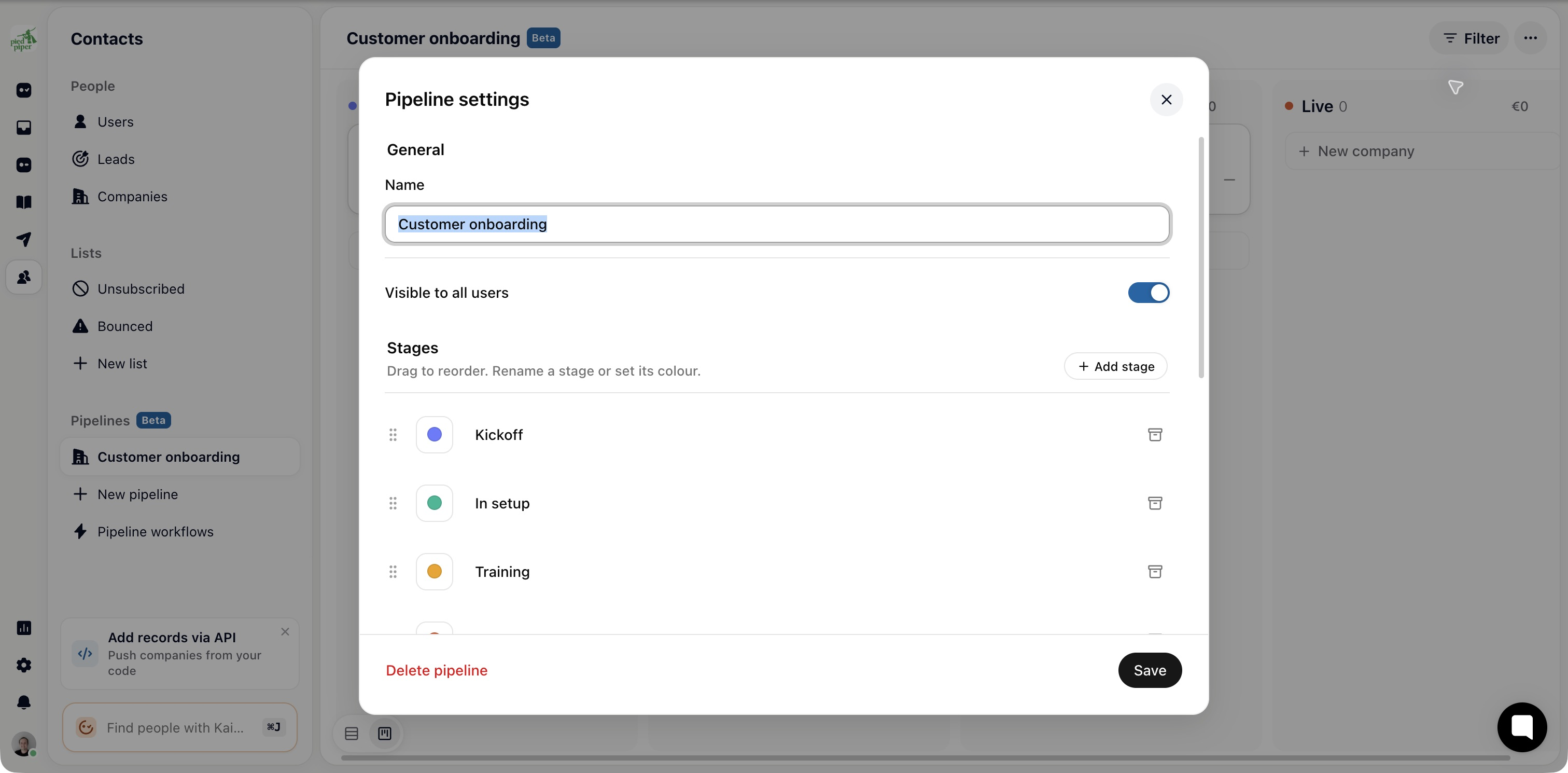
The order here is the left-to-right order on the board, and it's what the Move to next-stage shortcut follows. A stage in the wrong place makes that shortcut do the wrong thing.
Colour carries meaning cheaply. Keep the ends of the board distinct: a red “Lost” and a green “Won” read at a glance in a way two blues don't. A stage left without a name isn't saved, so an empty row added by accident does no harm.
There's no delete for stages, only archive. Archived stages are hidden from the board, and their records stay with them. Entries in an archived stage don't move anywhere and don't show up elsewhere; they're simply not on the board.
Move every entry out of the stage first, by dragging the cards or with Move to stage after selecting them.
Open Pipeline settings and click the archive icon (Archive stage) on the stage's row.
Click Save.
The stage is now listed under Archived stages. Restore stage brings it back, with any entries it still held.

Delete pipeline sits at the bottom of the settings. It removes the pipeline with all of its stages and entries, including their field values and history. The companies and contacts themselves aren't affected: they keep their conversations, their data and their place on any other pipeline. If the board recorded anything you'll want later, read it before deleting.
