Tools are what let a custom agent act. You add them on the agent's Settings → Tools page with Add tool. This page lists every built-in tool, grouped by what it lets the agent do. The picker also searches your connectors and more than 2,000 other tools, so if an app isn't named here, search for it before you build an API call by hand.
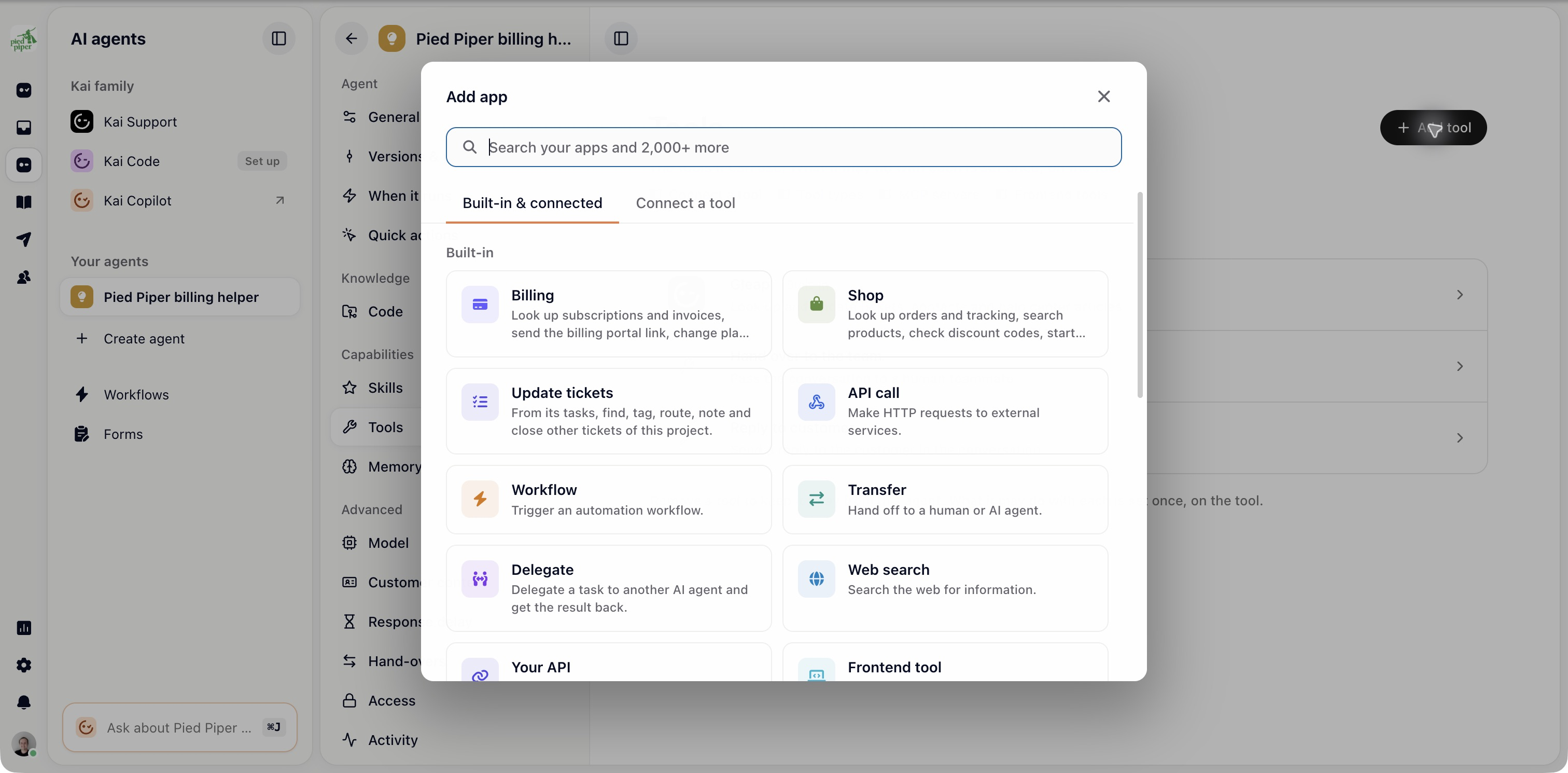
API call. One HTTP request to an endpoint you specify. Precise, and you decide exactly what the agent can reach.
Your API. Gives the agent a whole API to explore instead of one endpoint, optionally with an OpenAPI spec. Useful for large APIs, and less predictable.
Custom MCP. Connects your own MCP server and offers the tools it exposes.
Frontend tool. Runs an action inside your app through the Gleap SDK, in the user's own session.
Billing connects supported billing providers so the agent can help with subscriptions and payments. Review the actions allowed in the connection.
Shop connects supported stores for order and customer work.
Update tickets lets the agent update ticket details. Give it only the permissions its job needs.
You authorise these instead of configuring them: Gleap, Slack, Attio, Linear, HubSpot, Jira and GitHub. After connecting, you choose which of the app's tools the agent may use.

Reply to customer. Posts a message to the customer on the connected ticket. Without it, the agent's output stays internal.
Ticket status. Moves the ticket to one of the status lanes of its ticket type.
Collect data. Saves what the agent learned into the ticket and contact fields you pick, so it shows in the inbox, filters and webhooks.
Knowledge search. Searches your knowledge, optionally limited to certain tags. This gives an agent the grounding Kai Support has by default.
Ask for screenshot or recording. Asks the customer to show the problem. In the widget they get a button and can mark up a screenshot. On other channels they reply with an attachment.
Collect app logs. Collects recent console logs, failed network requests and environment data from the customer's app, without asking them. It only works while the customer has your app or site open with the Gleap SDK.
Transfer. Hands the conversation to a person or another AI agent and steps out.
Request human input. Pauses and gives a teammate an open task: research, approve or do something. The agent continues with the answer.
Ask for a decision. The structured version: a card where a teammate picks between named options, with optional follow-up questions.
Transfer ends the agent's part. The two input tools don't. Hand work to a person or another agent explains which to pick.
Delegate. Gives a task to another published agent and gets the result back, while staying in charge. This is how you combine specialist agents instead of building one large one.
Workflow. Runs one of your existing workflows.
Kai Code. Lists your connected repositories, answers code questions and can start a Kai Code session that opens a pull request for your team to review.
Scheduling. Lets the agent schedule a future run of itself, for deadlines, reminders and follow-ups. It can also list and cancel what it scheduled. This is different from a trigger, which you set up yourself.
Web search. Searches the web, optionally only on domains you name. What it finds is outside your control, so keep it away from agents that answer factual questions about your product.
Code investigation and Propose code fix no longer run. Use Kai Support investigations for difficult support cases and Kai Code for coding work. Remove retired tools from older agents.

