A few email switches decide who gets an email and when. They explain most "why did this customer get an email?" and "why didn't the others see my reply?" questions. You find them all on one page, and you need access to the project settings to change them.
Go to Settings → Email → Other settings.
Turn the switches under Email messages on or off. Each one saves as soon as you change it.
The page also links to Reply emails, where you set the look of your replies, the From name, the request number in the subject and the quoted messages.
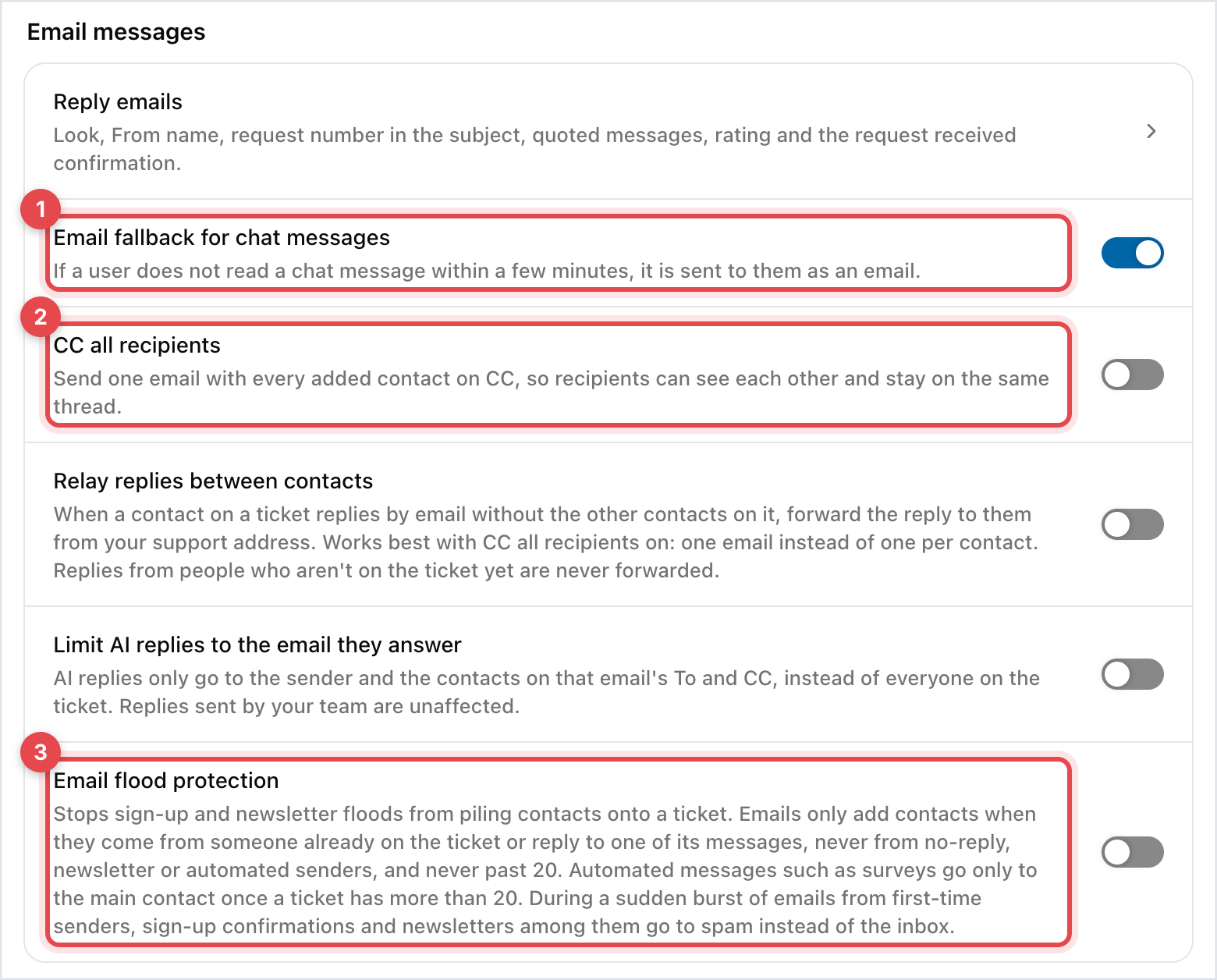
When you reply to a chat in the messenger and the customer doesn't read it, Gleap sends the reply to them by email. That way a customer who closed your website still gets your answer. This switch is on by default.
If the customer was active in the last three minutes, Gleap waits about ten minutes before it sends the email. Otherwise the email goes out after about a minute.
If the customer reads the message in the messenger first, no email is sent.
If the conversation has more than one contact, the email is sent straight away.
Contacts without an email address can't get the fallback.
Turn it off if you only want customers to see replies inside your product.
Off by default. When a ticket has several contacts, each one normally gets their own email. Turn this on to send one email with every contact on CC, so they can see each other and stay on the same thread.
Off by default. When a contact on the ticket replies by email without the other contacts on it, Gleap forwards the reply to them from your support address. It works best with CC all recipients on, so everyone gets one email instead of one each. Replies from people who aren't on the ticket yet are never forwarded.
Off by default. When it's on, Kai's replies go only to the sender and the people on that email's To and CC lines, instead of everyone on the ticket. Replies from your team aren't affected.
Off by default. Turn it on if sign-up confirmations or newsletters keep piling extra contacts onto your tickets. With it on:
an email only adds a contact to a ticket when it comes from someone already on the ticket, or replies to one of its messages
no-reply, newsletter and other automated senders are never added, and a ticket never gets more than 20 contacts this way
once a ticket has more than 20 contacts, automated messages such as surveys go only to the main contact
during a sudden burst of emails from first-time senders, sign-up confirmations and newsletters among them go to spam instead of the inbox


