Open Inbox → Roadmap for feature requests. The roadmap is a ticket board in the Inbox. The former Feedback portal overview and roadmap links open this board.
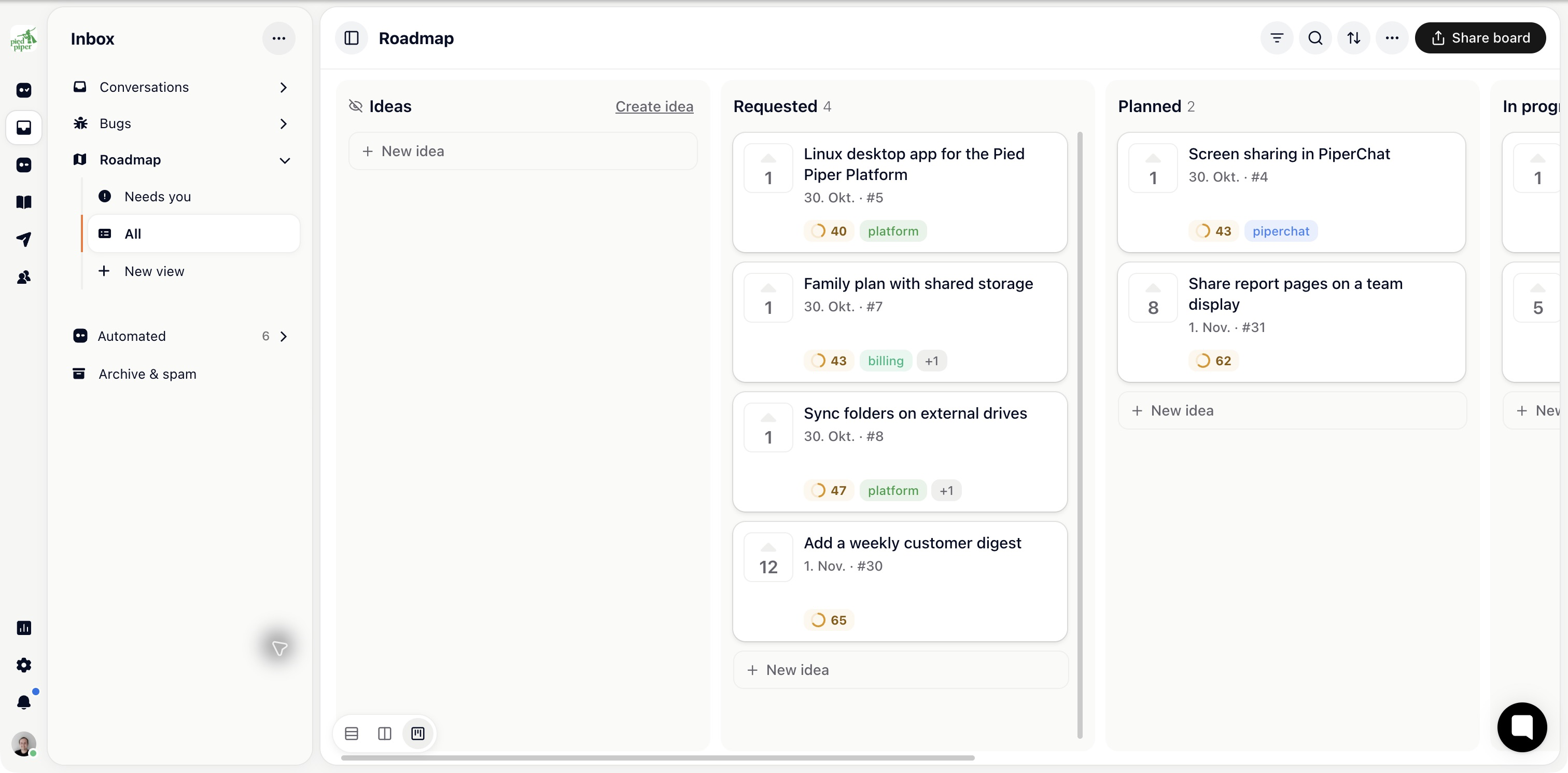
Choose a saved view or filter, then use the available list or board layout. Open a request to read the customer problem, conversation, votes and account context.
Statuses belong to the board’s configured columns. Move a request when its state changes, and use board settings to keep the columns and fields aligned with your process.
A public roadmap and the internal board are related but have different audiences. Review public visibility before exposing an internal stage.
Configure AI handling under Kai Copilot → Settings → Roadmap & changelog. With New requests set to Asks first, proposals arrive in Needs you. With Does it, Kai can decide and reply; uncertain cases still need your team.
Read the customer wording as well as the proposed accept, decline or merge action.
Ask Kai Copilot to compare requests, investigate a theme or prepare a proposal. Start code work through Kai Code when the request is ready for an implementation.
A score or generated plan does not mean code has shipped. Keep the board’s status tied to your actual review and release process.
Publish release notes from Outreach → Changelog. Tell requesters it shipped in Kai Copilot’s roadmap settings controls whether Kai sends the update, drafts it for your team or leaves it manual.
Check the follow-up after your first release so people who asked receive the intended message.
Branding, access and domain settings are under Settings → Feedback portal. The internal Roadmap board remains in the Inbox.

