An info card appears in front of your product and asks for attention. Gleap's dashboard calls this format Info cards; other tools often call it a modal. It's the most effective format in Outreach and the most expensive one, because a customer who didn't want it has to deal with it before continuing. Outreach is available on the Team plan and up.
Go to Outreach → Info cards and click Create info card.
Pick Blank info card or a starter such as Welcome card, What's new or Feature spotlight.
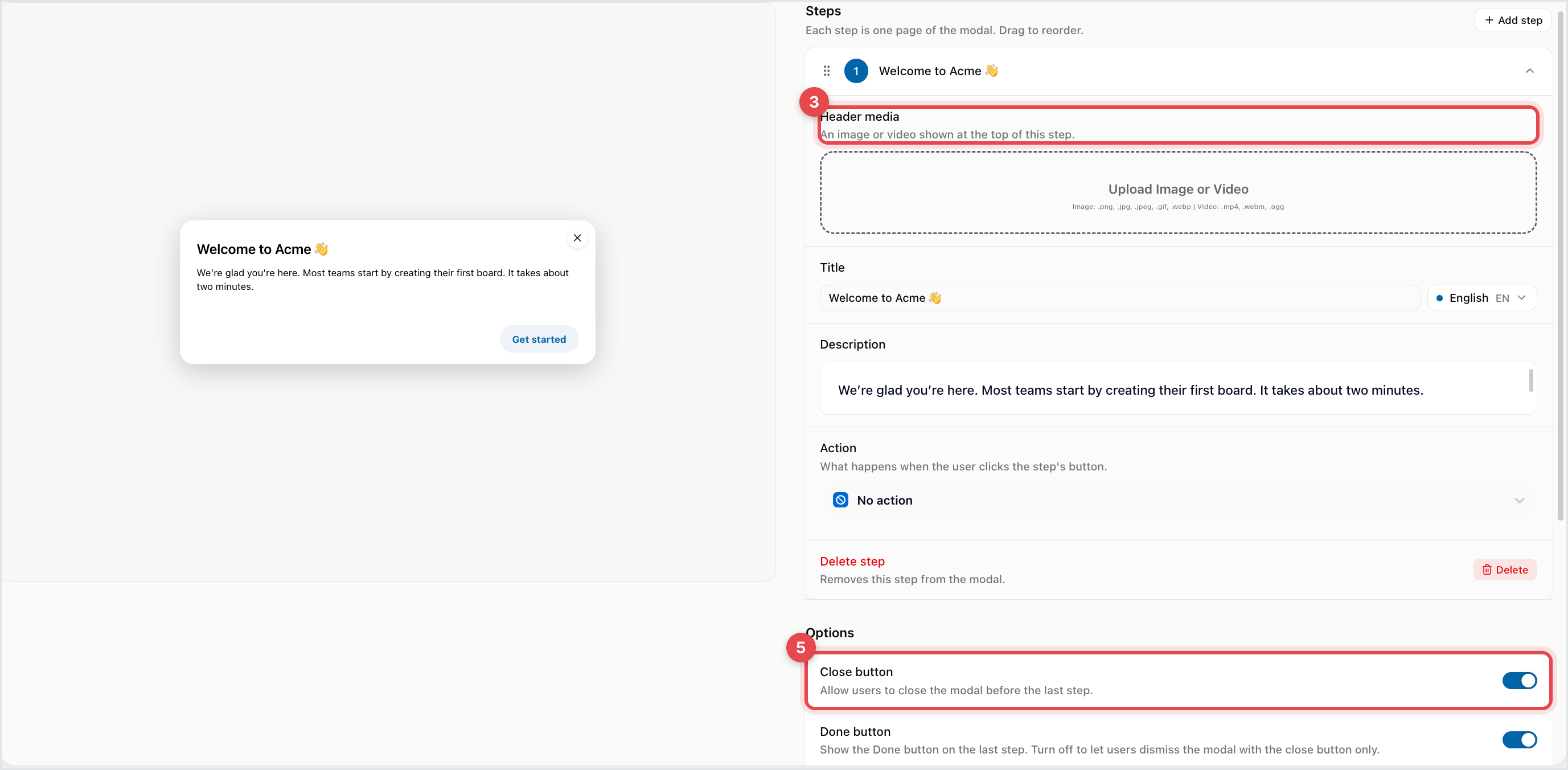
Under Steps, edit the first page: Header media (Upload Image or Video), Title and Description. Add more steps for a multi-page card; drag to reorder.
Optionally give a step an Action and an Action title for its button.
Under Options, decide on the Close button and the Done button, and change the Next button text and Done button text if you like.
Click Continue, set the audience on Targeting, and click Launch.
For a video you choose Autoplay video, Show video controls and Loop video. Autoplay without controls is worth avoiding: someone who can't pause a video they didn't ask for closes the card instead, which costs you the message and some goodwill.
A step's button can Open link (with Open in new tab), start a conversation, checklist or product tour, show a help article, news item or feedback form, or Start custom action to trigger something in your own app by name. Close widget on action closes the messenger when the action runs, so people land where the action takes them.
Close button lets people close the card before the last step. If you hide it, the Done button on the last step is required, so there's always a way out.

Very little: something the customer must act on before continuing, or something so significant they'd be annoyed to have missed it. A new feature is usually news or a tooltip. A maintenance window is a banner. A question is a survey.
Send it once per person. A card that keeps reappearing is the most reliable way to make people dislike a product. And avoid showing it the moment someone arrives: add a short time-on-page delay on Targeting, so it isn't dismissed before the page has even loaded.