By default, every conversation starts fresh. Contact memory changes that: durable notes about a person that AI can read the next time they write in, so a customer doesn't have to explain their setup twice. Only admins can change the setting.
Go to Settings → Inbox & tickets → AI assist.
Scroll to Contact memory and switch on Enable contact memory.
Optionally fill in Custom prompt to say what memory should hold on to when it's condensed.
A Memory tab now appears on identified contacts.
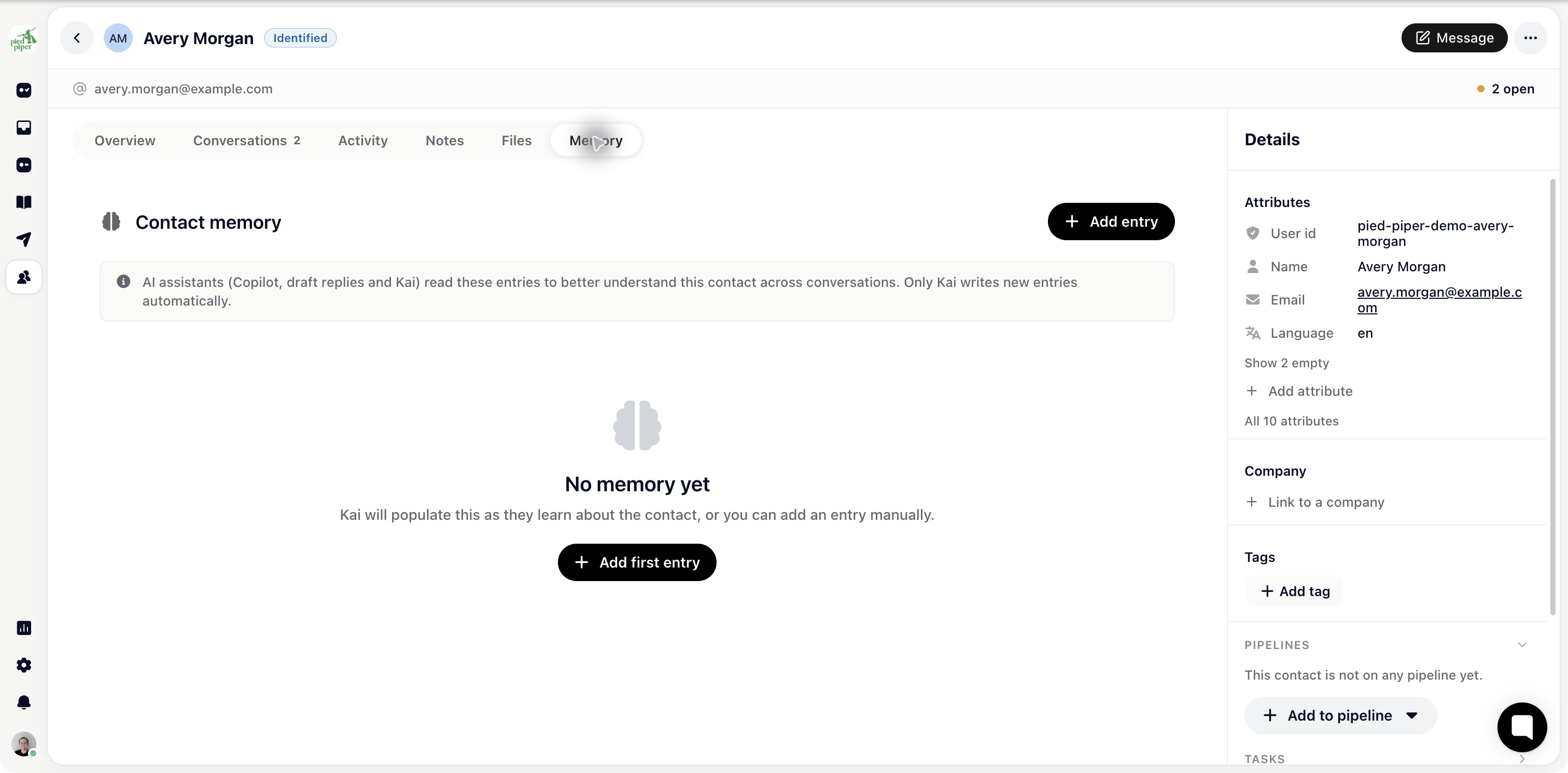
It only applies to contacts identified via Gleap.identify. That restriction is deliberate. A guest is a browser session, not a person, and remembering things about one would mean carrying them over to whoever uses that browser next.
Each entry has a Description, one sentence about what it covers, and the Content the AI actually reads. Think “what setup are they running”, “what they've already tried”, “what they told us about their rollout”: facts that stay true after the conversation ends.
Every entry shows who wrote it: the AI agent, Copilot, a Draft reply, a teammate by name, or Auto-summary for one Gleap condensed itself.
Open the contact and click the Memory tab.
Click Add entry to write one yourself, or open an existing entry to edit or delete it.
Click Clear all to remove everything Kai remembers about this person.
Writing an entry by hand is the fastest way to fix a wrong assumption. Rewrite the entry rather than hoping the next conversation corrects it.
Memory doesn't grow forever. Once a contact's memory reaches its limit, Gleap consolidates it: older entries are merged into summaries so the useful facts survive and the noise doesn't. The Custom prompt steers that. If pricing tier and integration setup matter most for your product, say so there.

The same goes for anything sensitive the customer shared once and shouldn't hear repeated back later.
Switching off Enable contact memory stops new entries being written and keeps what's already stored. To remove what's there, clear the memory on the contact.

