Every person who writes to you gets a contact record. Some of it your product sends, some Gleap collects as people use the messenger, and the rest is the history of your conversations with them.
Open Contacts in the left sidebar and click a person to see their page.
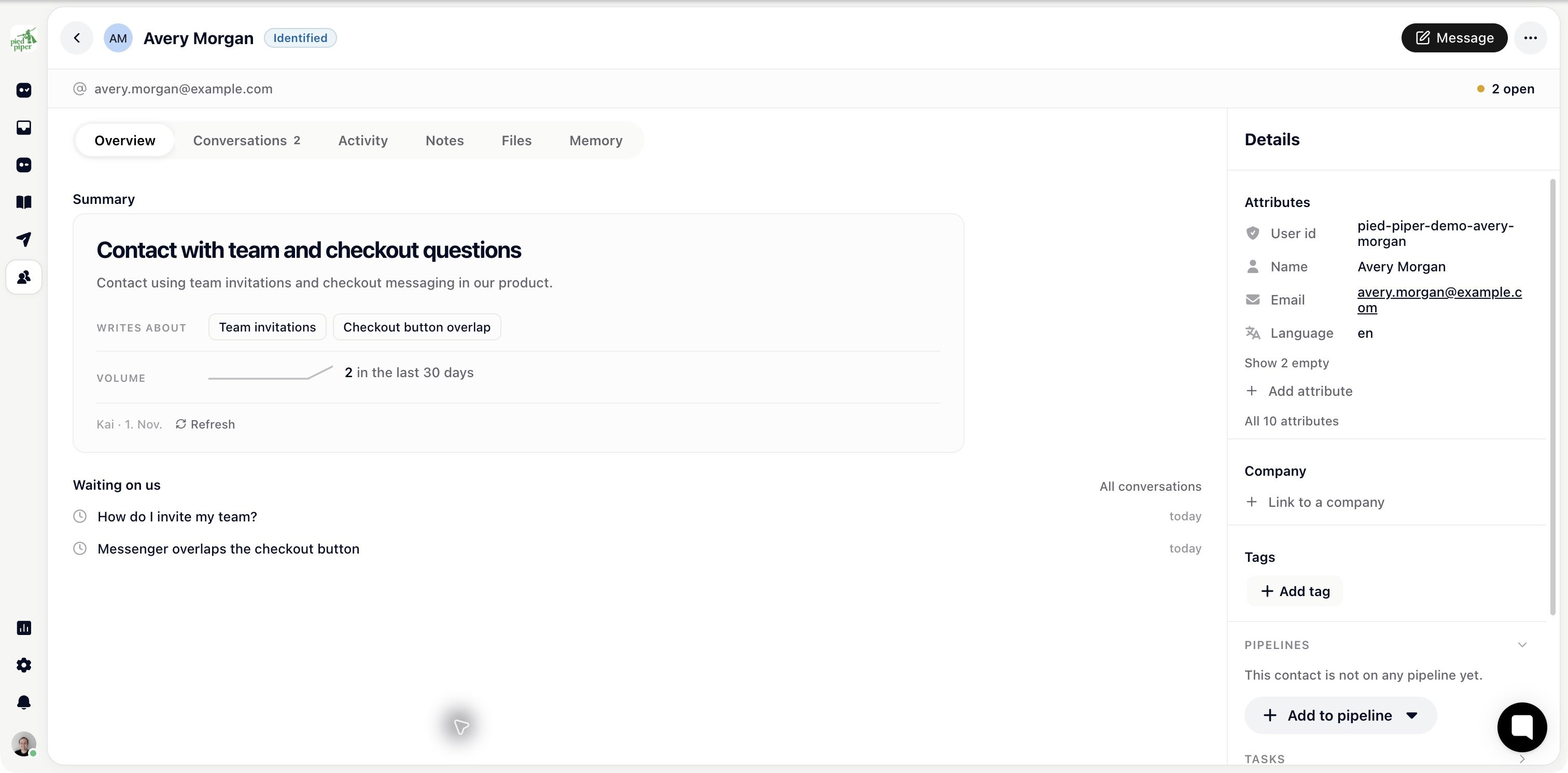
The badge next to the name is the first thing to read. Identified means your app told Gleap who this is. Guest means someone used the messenger without being identified. In the contact list, guests are under Leads and identified people under Users.
A guest is a browser session: there's no reliable identity, and a second visit from another device is a second contact. An identified contact accumulates, so conversations, attributes and history all attach to the same person. If most of your contacts are guests, that's the thing to fix first.
Blocked and Unsubscribed badges appear here too when they apply.
Overview: a Kai-written Summary of the person, what's Coming up (for example snoozed tickets), and the conversations Waiting on us.
Conversations: everything you've exchanged, across every channel.
Activity: product events your app tracked, and the record's timeline.
Notes: what your team wants to remember. Internal, never shown to the contact. Filter by Notes, Calls or Meetings, and log a call or a meeting here.
Files: attachments from their conversations in one place.
Memory: what Kai has picked up across conversations. Identified contacts only.
The right-hand sidebar holds the contact's attributes (name, email addresses and everything your product sends as custom data), the Company they belong to, and their Tags. Below that are foldable sections: Pipelines, Sequences, Notes, Files, Checklists when they have one, connected billing panels, and Lifecycle. Pipelines lists the contact pipelines this person is on. Company pipelines show on their company's page instead.
Lifecycle shows when they signed up, how many sessions they've had, whether they're subscribed to your emails (with the reason if they unsubscribed), and where they came from.
Message starts a conversation with the contact. The … menu holds Export contact data, Unsubscribe from emails (or Resubscribe), Block contact (or Unblock contact) and Delete contact.

The contact page answers “who am I talking to?” before you reply: which plan they're on, whether they've asked before, whether they're mid-onboarding. It's also what your segments, automations and Kai read from, so the quality of what's here decides how well those work.