Let Kai Support answer hands over an open conversation. Give Kai Support a task is narrower: you give Kai Support step-by-step instructions for one specific job, and it does that job instead of answering whatever comes up. The step lives in the workflow builder under AI actions.
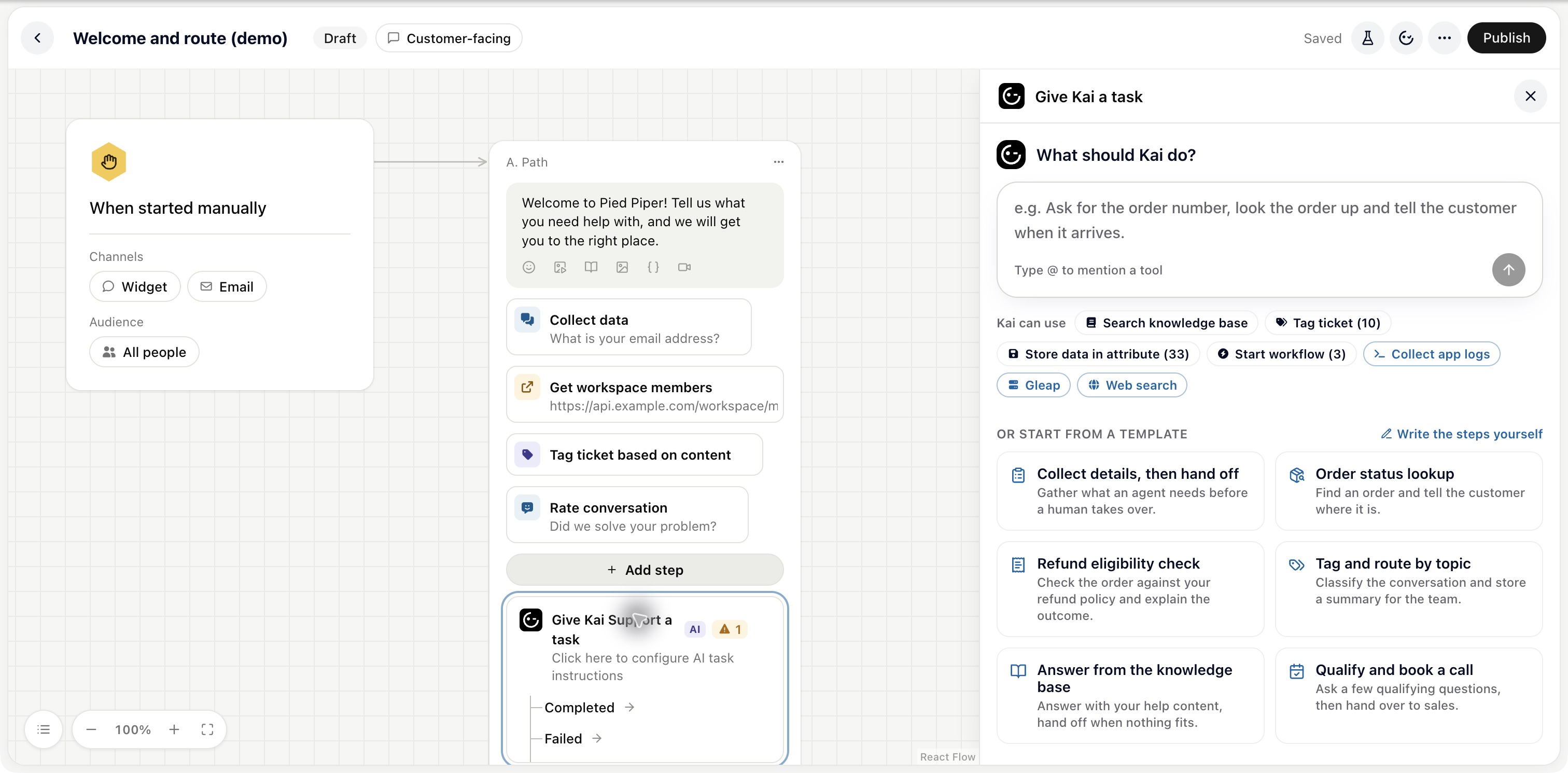
In the workflow, click Add step and choose Give Kai Support a task. Its panel is titled Give Kai a task.
Under What should Kai do?, describe the goal, for example "Ask for the order number, look the order up and tell the customer when it arrives."
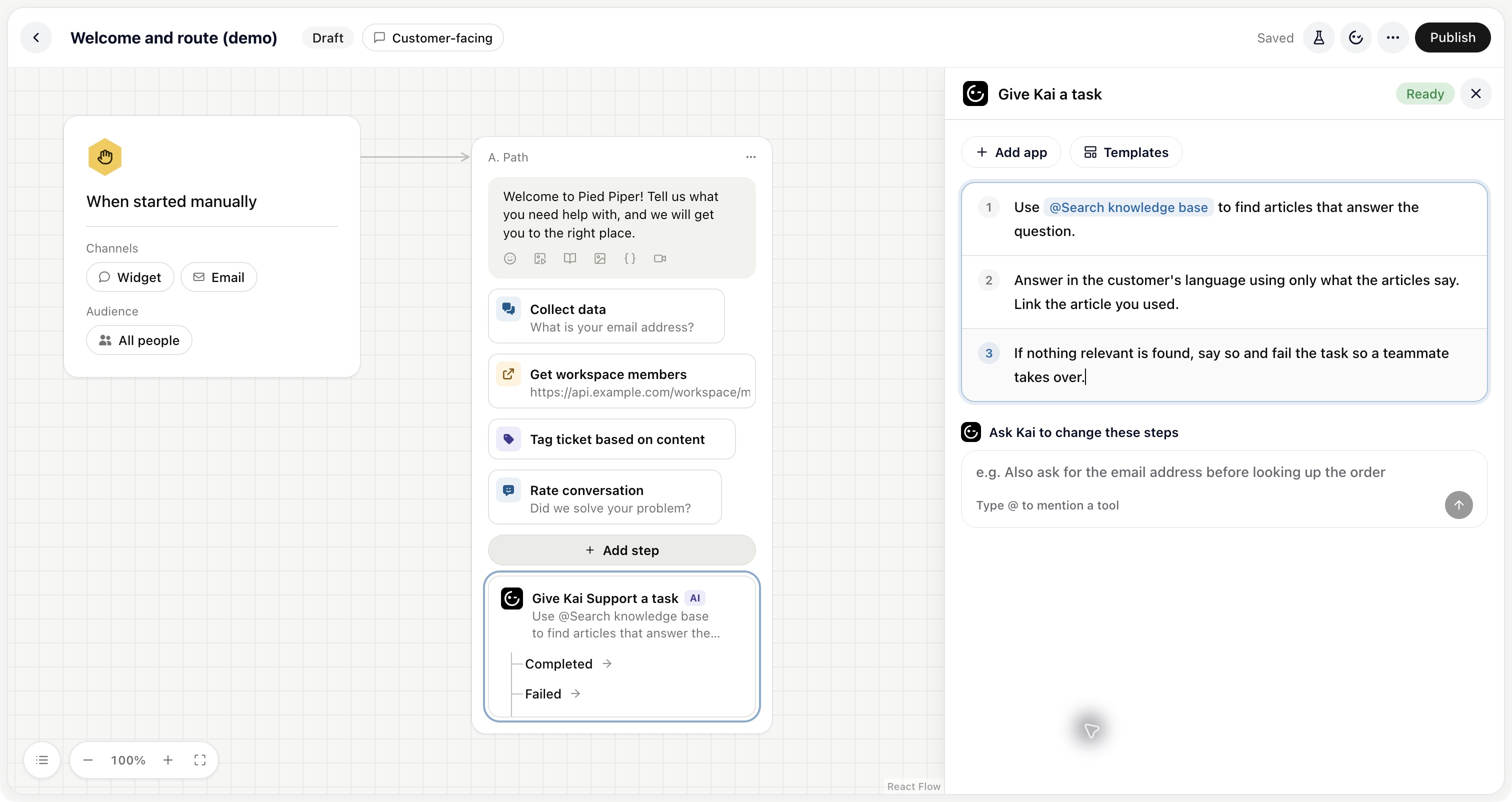
Click Draft steps to let Kai turn the goal into steps, or choose Write the steps yourself. You can also start from a template. Once drafted, the numbered steps replace the goal box.
Review the available tools under Kai can use before drafting. In the drafted task, choose Add app to add a capability and use @ in a numbered step to refer to it. Review each app’s permissions.
Read the numbered steps and fix anything flagged. To revise them in words, use Ask Kai to change these steps, then Update steps.
On the canvas, connect what should happen next on the Completed path and on the Failed path.
Write the job with a finishing line: what to produce, and what to do when it can't. "Summarise the customer's problem in two sentences for the engineering team" works; "help the customer" doesn't tell it when it's done. Use the Failed path for a sensible fallback, such as handing over to your team.
Deciding something the flow then branches on: whether a message is a complaint, which product it concerns.
Producing a summary for your team before a conversation reaches them.
One lookup with a tool, where a whole agent would be overkill.
The two overlap, and the honest distinction is ownership more than capability.
A task belongs to the workflow step it sits in. It's quick to add, and it exists in exactly one place, which is fine until you want the same behaviour in a second flow and end up maintaining two copies of the instructions.
An agent is a thing in its own right: reusable, with its own tools, its own triggers, its own cost ceiling and a record of every run. That last part matters more than it sounds when something goes wrong.

Give the step only the tools its job requires. A task with access to everything will occasionally use something unexpected, and inside a live customer conversation that's harder to notice than in an agent run you can review afterwards.

