Support work is repetitive by nature: reply, assign, tag, set a status, move on. Doing that with a mouse costs a second or two each time, which is nothing until you multiply it by a hundred conversations a day. Keyboard shortcuts work in the inbox and on boards for everyone.
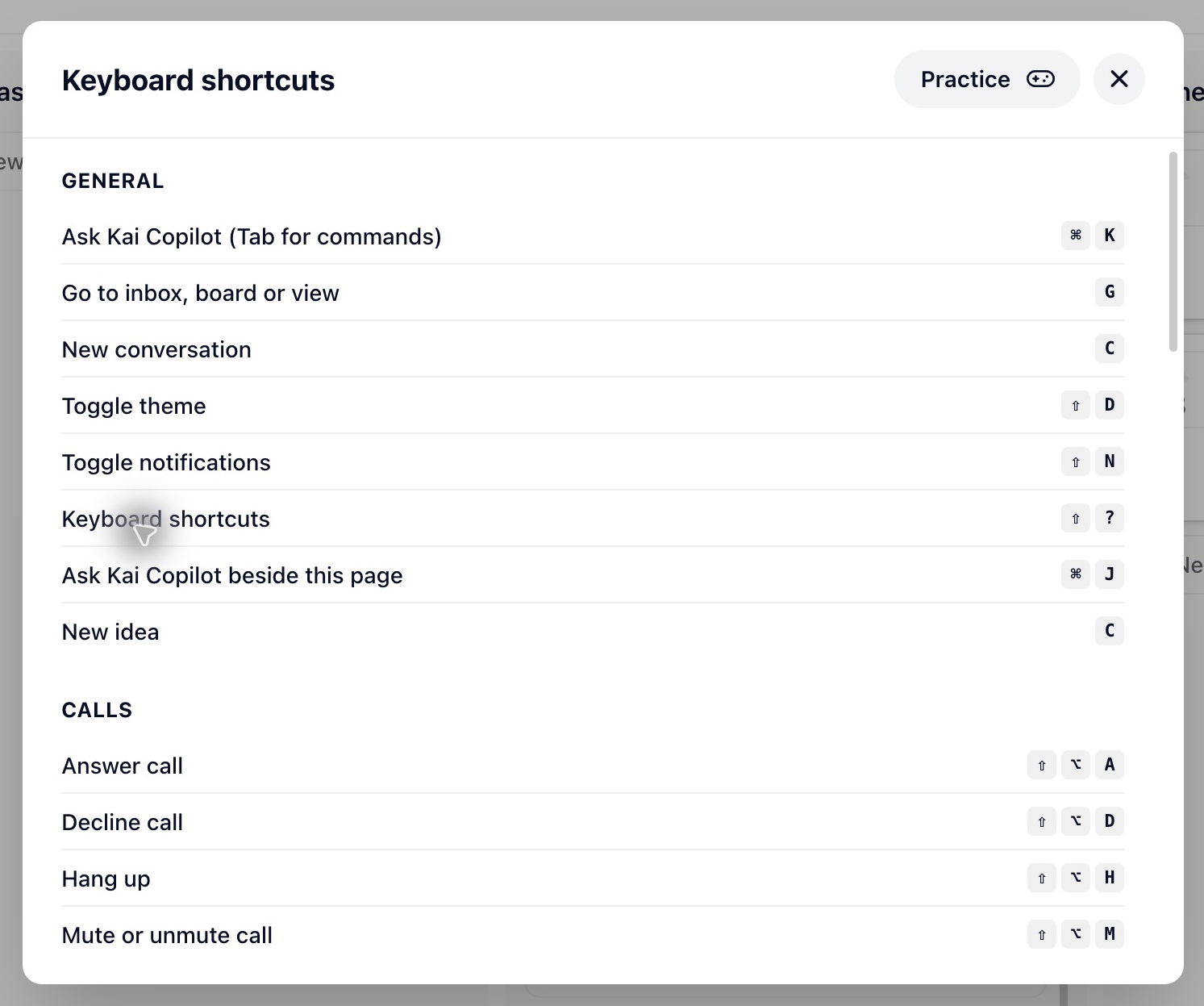
Press Shift+? anywhere in the dashboard for the full list. Mod means Cmd on a Mac and Ctrl elsewhere. Single-letter keys only work while you're not typing in a field.
R start a reply, N write an internal note, I ask an AI agent.
A assign to a teammate or team, Shift+A assign to yourself.
S set a status, Mod+Shift+Y close, Mod+Shift+O reopen.
P set a priority, Shift+T add or remove tags.
Z snooze until tomorrow, in three days, next week or a date you pick.
Mod+Shift+E insert a macro.
G jump to a view, such as My inbox, All, Unassigned or Mentions.
E archive, Mod+Shift+U mark as unread, Shift+D switch between light and dark theme.
While writing, Mod+Enter sends, Mod+Shift+Enter sends and closes, and Mod+Alt+Enter sends and snoozes.
A list of shortcuts is easy to read and easy to forget. The trainer gives you a practice inbox with realistic conversations and asks you to perform actions, and the only way through is the keyboard.
Press Shift+? to open the shortcut list.
Choose Practice. Alternatively, press Mod+K, then Tab if the Ask Kai Copilot bar opens, and search for Practice keyboard shortcuts.
Work through the tasks. Each one is on a clock, and a run ends after three mistakes or when a task runs out of time.

Don't try to learn all of them. Pick the three actions you do most (for most people that's reply, assign and close) and use only those by keyboard for a week.
Once those are automatic, add the next few. Trying to learn twenty at once means learning none, and going back to the mouse the first time you're busy.


