Two conversations often turn out to be about one thing. Sometimes that's a duplicate; sometimes it's thirty customers hitting the same outage. Gleap keeps these apart, because they need different handling: links connect related tickets, trackers gather every report of one issue, and merging removes a duplicate.
Linking connects two tickets that relate to each other while both stay independent. Each shows the other, so anyone opening one sees the context. Use it when a customer's conversation and a bug report belong together: the customer keeps their conversation, engineering keeps the bug, and neither loses the connection.
Open one of the tickets.
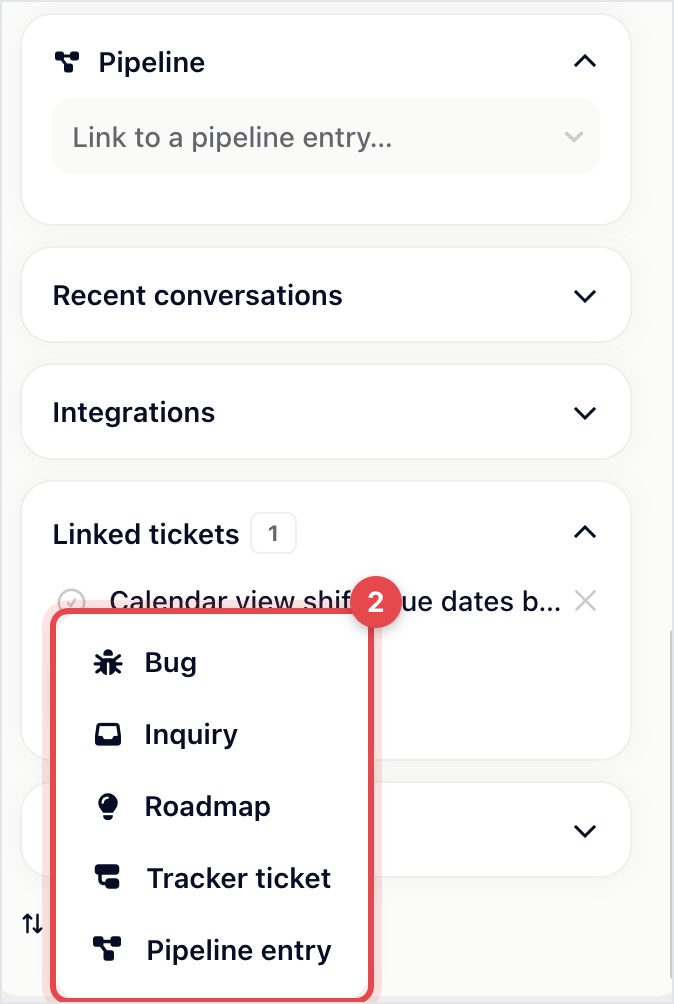
In the sidebar, go to Linked tickets and choose what to link: a board such as Bug, Inquiry or Roadmap, a Tracker ticket or a Pipeline entry. Once a ticket already has links, this menu is the Link ticket button.
Search for the other ticket and pick it. Both tickets now list each other under Linked tickets.
A tracker is a ticket that other tickets sit underneath. One ticket represents the issue itself; every customer report about it is linked to it. Your team works on one thing instead of thirty, and you can see at a glance how many customers are affected, which is also the number that decides how urgent it is.
Open the first customer report about the issue.
In Linked tickets, choose Tracker ticket.
Search for an existing tracker with Search tracker ticket, or click Create tracker ticket, enter a Tracker title, a Tracker description and the Tracker type, then click Create & link.
For each further report, repeat steps 1 to 3 and pick the same tracker.

Attaching a report doesn't answer the customer. Each of them wrote to you and expects a reply; the tracker organises your side of it.
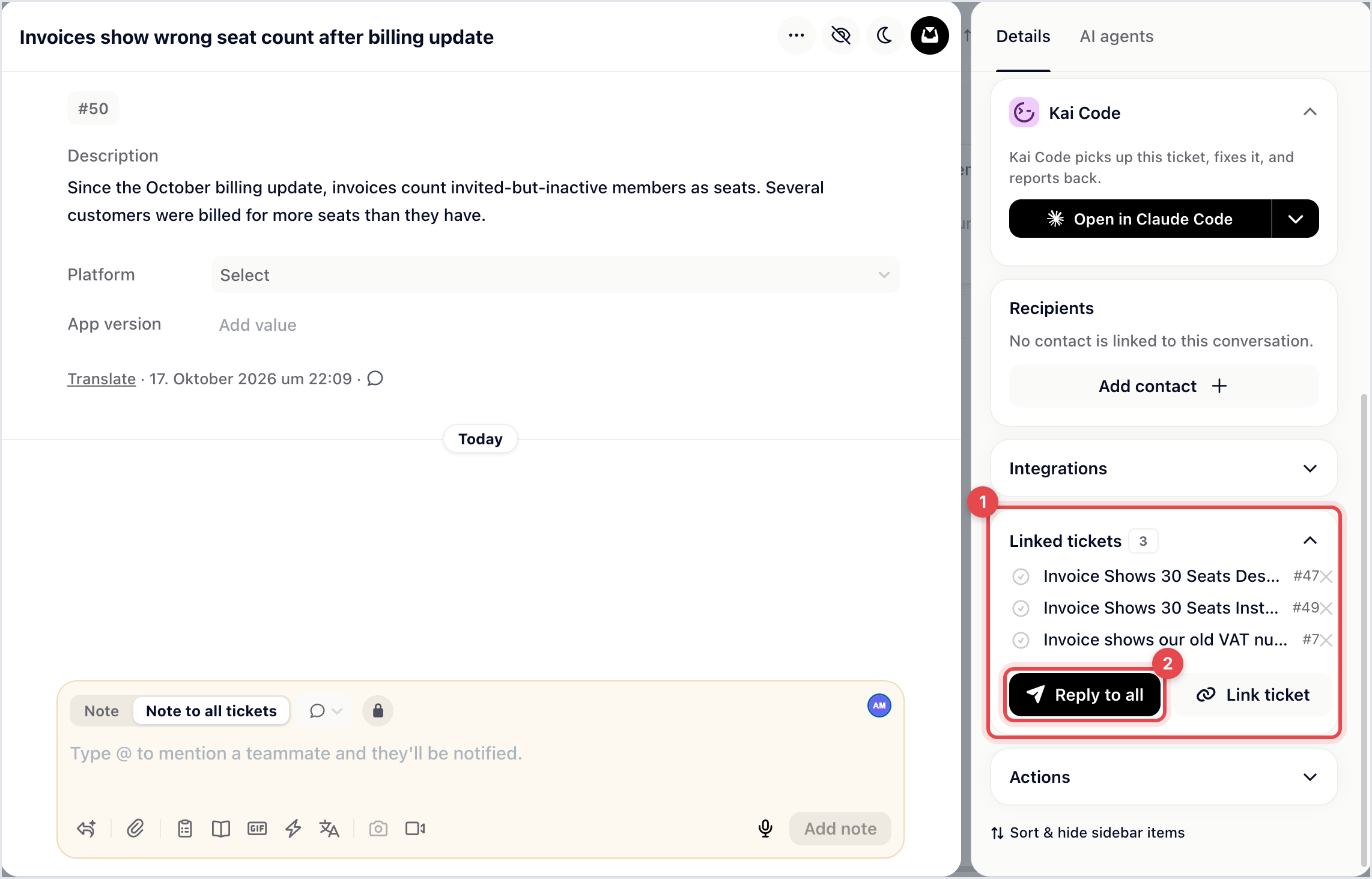
Open the tracker. Its Linked tickets list shows every report attached to it.
Click Reply to all to send one reply to every linked ticket, for example "we've found the cause and are working on a fix".
To add the same internal note to all of them, use the Note to all tickets tab in the tracker's composer.
When it's fixed, go back with Reply to all and tell them. That last step is the one that gets skipped, and it's the one customers remember.
If two tickets are the same conversation, such as the same person writing twice or an email and a chat about one problem, merge them instead of linking. Merging moves the duplicate's contacts and tags to the conversation you keep, then archives the duplicate and links it to the kept one. The duplicate's messages stay in the duplicate. Merge two conversations: which one stays shows how.
The rule of thumb: same person and same problem, merge. Different people and same cause, tracker. Related but separate, link.

