When the same customer writes twice about one problem, or one problem arrives by email and by chat, merge the two so your team answers once. Anyone who can work the inbox can merge.
Rule: open the conversation you want to get rid of, then pick the one you want to keep.
Open the duplicate, the conversation that should disappear.
In its ⋯ menu, choose Merge with similar, then search for and click the conversation you want to keep.
Check the Merge Preview dialog. The conversation you started from is on the left, and the arrow points to the one you picked, which is marked with a target icon. That one is the one that stays.
Click Merge.
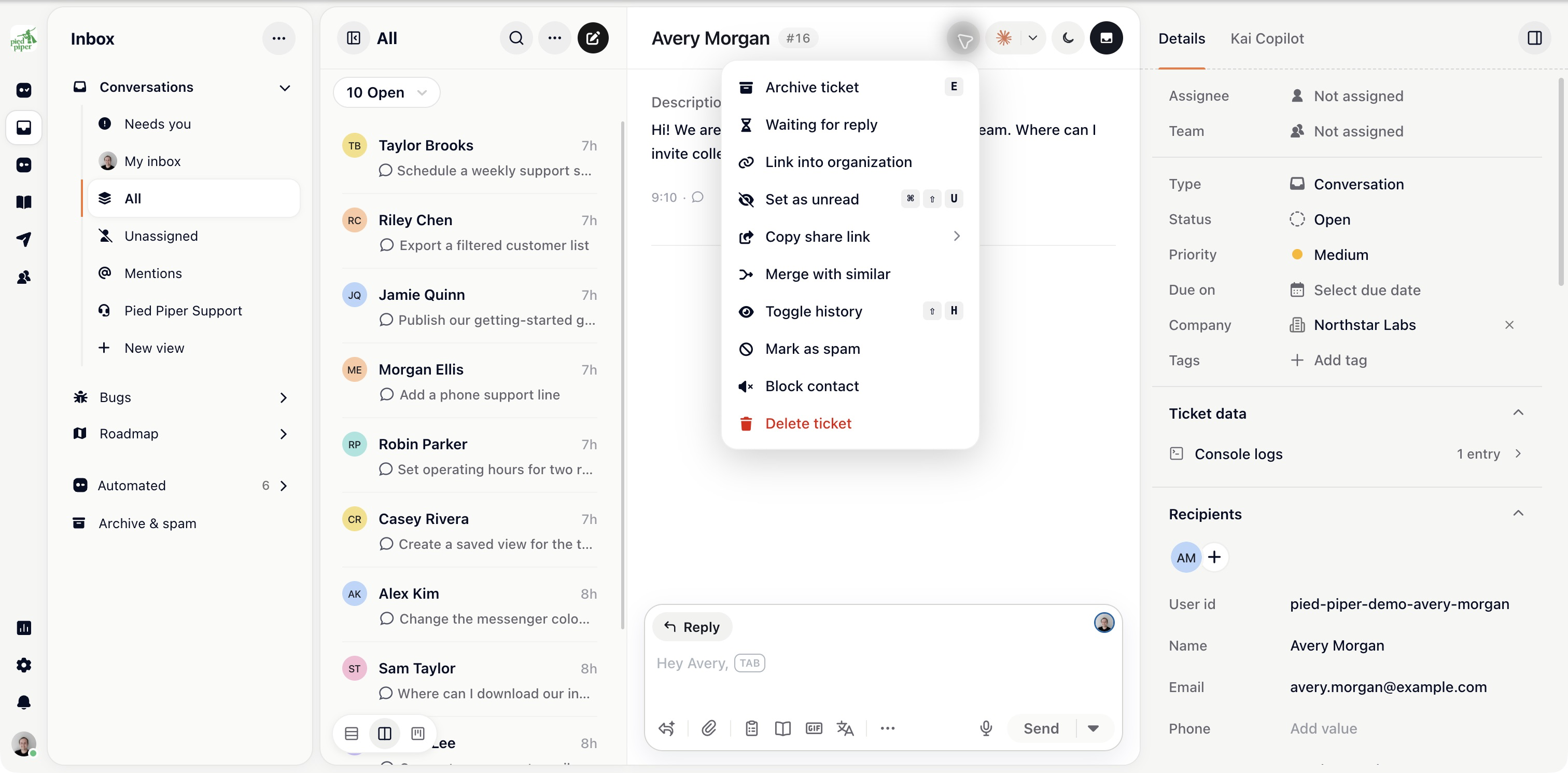
Afterwards, the kept conversation gets the duplicate's contacts, tags, upvotes and linked tasks, plus an internal note that names the merged conversation and usually summarises it. The duplicate's messages stay in the duplicate, which is archived and linked to the kept one. It isn't closed and keeps its status, so if it needs to read Closed in your reports, close it before you merge.

Example: to keep #937 and get rid of #940, open #940, choose Merge with similar, pick #937, and confirm when the preview shows the title of #940 on the left and the title of #937 on the right.
Merge before you reply where you can. Merging after two people have answered separately leaves a thread that reads oddly. For thirty customers reporting the same outage, use a tracker instead of merging.