A duplicate contact is one person who shows up twice in Contacts, for example once as an anonymous guest and once as a logged-in user, or twice under different user IDs. Gleap merges the most common case for you. There's no button to merge two contacts or two companies by hand, so the best fix is to stop duplicates from being created.
When someone uses your product without logging in, Gleap tracks them as a guest. When your app then calls identify for that person, Gleap merges the guest into the contact with that user ID, or creates one if it doesn't exist yet. After the merge:
Their tickets, comments and survey responses belong to the identified contact.
Custom data from both is combined. Where both have a value, the identified contact's value wins.
Visit and feedback counts are added together, and events from both are combined.
The last page viewed and location come from the guest's latest visit, and the first activity is the earlier of the two.
Outbound history moves across, so the person doesn't get the same message twice.
The merge can't be undone.

Different user IDs for the same person. Two contacts with the same email address but different user IDs stay separate. Gleap doesn't merge by email.
Someone writes in by email before they log in. The email creates a contact with that address. If your app later identifies them with a user ID, that's a second contact.
Several projects. Each project has its own contacts.
When contacts share an email address, Gleap still shows their conversations together: a contact's conversation list includes tickets from the other contacts with the same address, marked duplicate contact.
Call identify as soon as a user logs in, with the same user ID your app uses everywhere.
Always send the email address with it.
Use one user ID per person across web and mobile apps.
Imports and changelog sign-ups reuse an existing contact with the same email address, so they don't add duplicates.
Gleap.identify("user-123", {
  email: "[email protected]",
  name: "Ada Lovelace",
});There's no merge for contacts, and a ticket can't be moved from one contact to another. Deleting a contact also deletes all of its tickets. So only delete a duplicate whose conversations you don't need, such as an empty guest.
Go to Contacts and open the contact you want to remove.
Check its conversations. If one is about the same thing as a conversation on the contact you keep, open that ticket and choose Merge with similar to bring both conversations together first. The Merge Preview shows which contacts are added to the remaining ticket, and every one of them can then see all its messages.
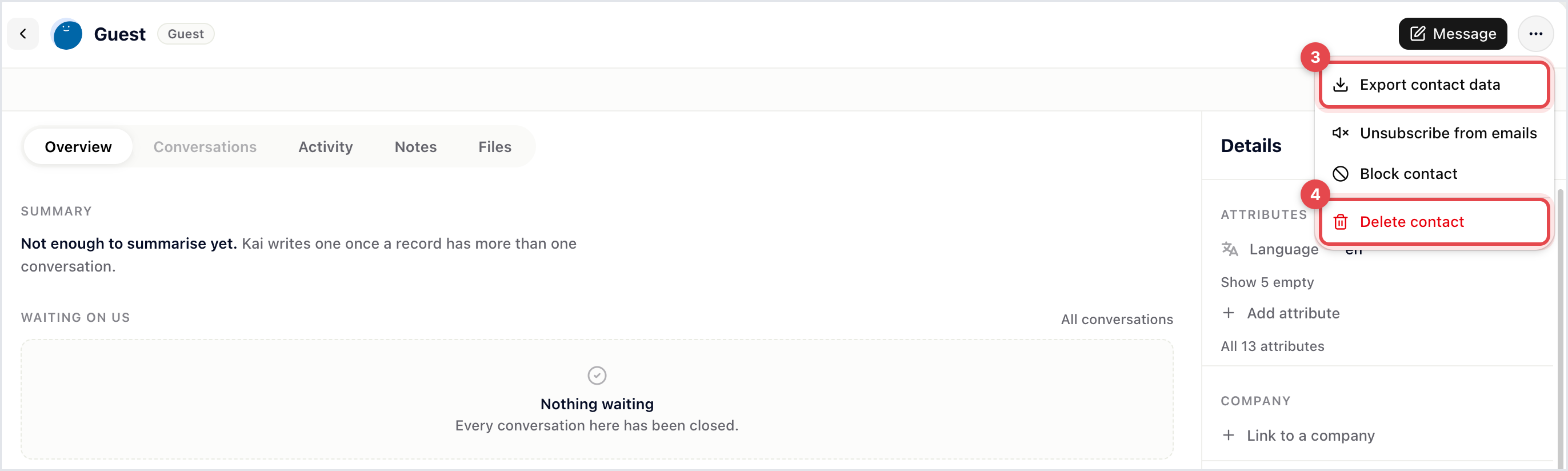
In the contact's menu, choose Export contact data if you want a copy.
Choose Delete contact and confirm.

Companies can't be merged either. Send the same company ID with identify for everyone at a company, so new people always join the one you keep.

