
Entries are companies or contacts that already exist in Gleap, whichever the pipeline tracks. You aren't creating new records, you're putting existing ones on a board. The one exception: on a company pipeline you can create a company on the spot.
Open the pipeline. On the board, click + New company (or + New contact) at the bottom of a stage, or the + next to a stage name. In the table, use Add company or Add contact.
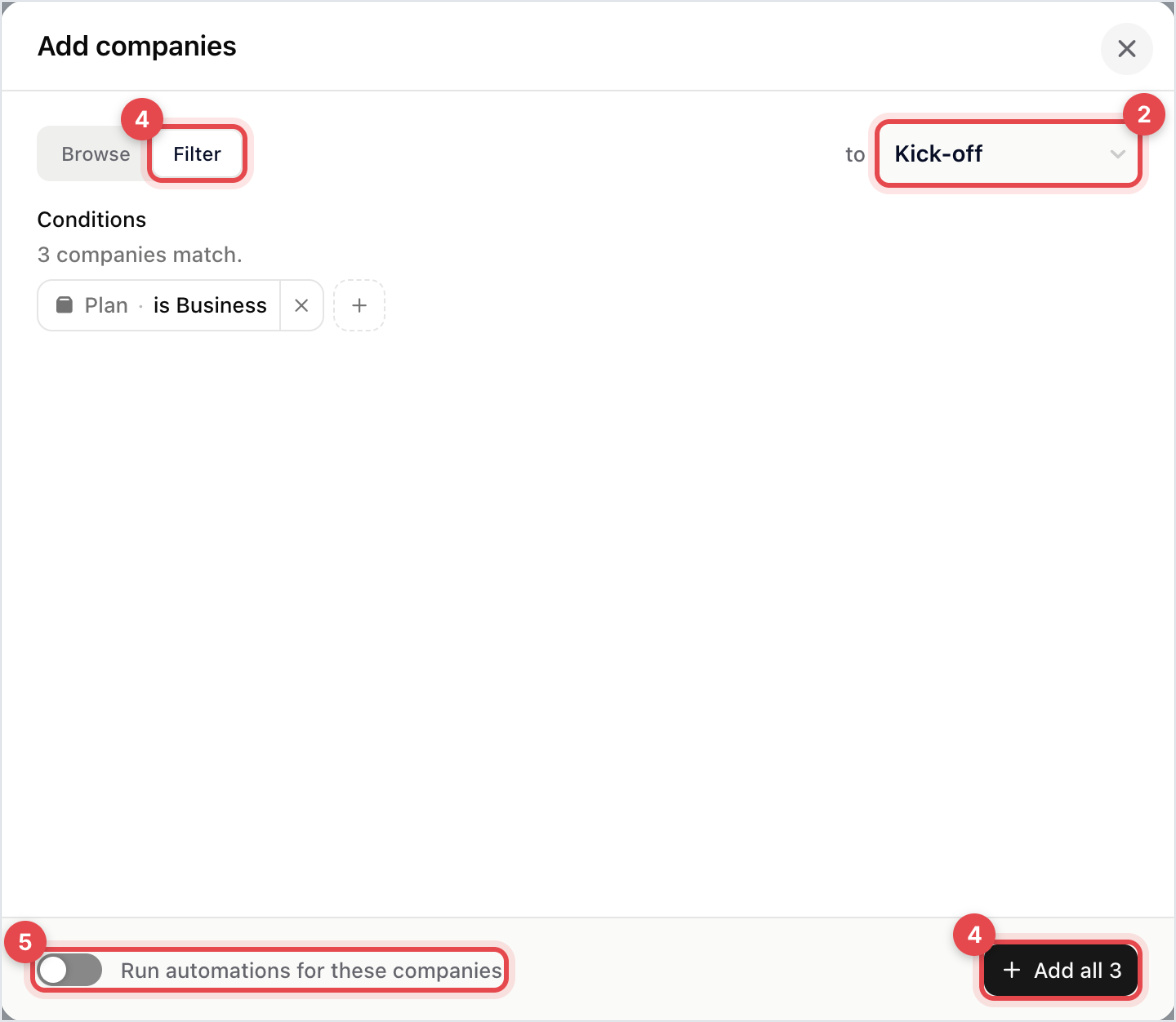
In the dialog, check the stage next to Browse and Filter. Everything you add lands there.
On Browse, search, tick the records you want and click Add. On a company pipeline, searching also offers Add all results.
Or switch to Filter and choose who to add (see below), then click Add all.
Decide on Run automations for these companies (or contacts). It's off by default.
A message confirms how many records were added.
The faster way to fill a new board. It works differently for the two record types.
Companies: build conditions on the spot from Name, Plan, Domain, Deal value, Last seen, Created, Country and City. The dialog counts the matches, so you see how many the button will add.
Contacts: pick a Contact segment, which is a saved custom list. If the segment you want doesn't exist yet, save it in Contacts first.
A filter add takes what matches at that moment. It isn't a live segment, so records that match later aren't added on their own.
Leave it off when you're backfilling a board with accounts that are already halfway through the process. Otherwise a welcome email can go to two hundred customers who onboarded months ago. Turn it on when the add itself is the start of the process.
“already on the pipeline”: those records were skipped. A record can be on a pipeline only once, so running an add again is safe.
“stopped at 1000 — there may be more matches”: one bulk add takes at most 1,000 records. Narrow the filter and run it again for the rest.
Open the contact or company and find the Pipelines section in the right-hand sidebar. It lists the pipelines the record is on and its stage, and Add to pipeline offers the pipelines built for that record type that it isn't on yet.
A workflow can add a record to a pipeline when something happens, which keeps a board current without anyone maintaining it. Pipeline automations can also hand a record on to another pipeline.
The failure mode isn't an empty board, it's a board full of things nobody is working on. Agree what leaves the board before you add two hundred records to something new.
