Contacts has fixed views: Users, Leads, Unsubscribed, Bounced and Companies. A custom list is one you define: trial accounts over ten seats, everyone who used the export feature, customers who haven't been in touch this quarter.
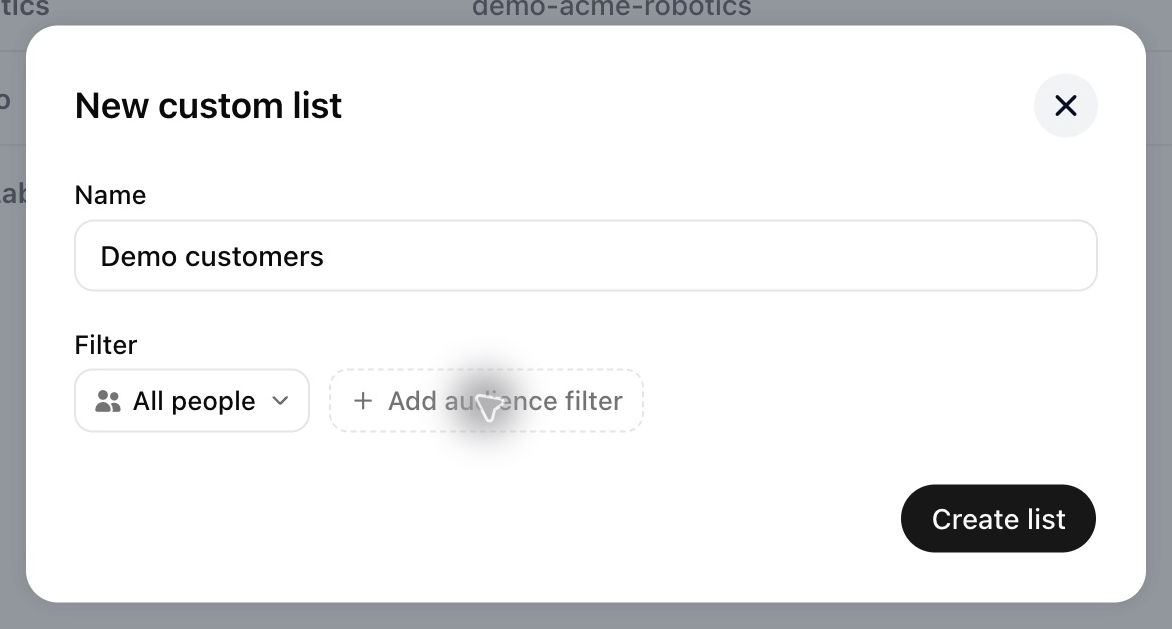
Go to Contacts and choose New list in the sidebar’s Lists section.
Enter a Name for the list.
Choose who's in scope: All people, Users only or Leads only.
Add conditions. They read from contact attributes, anything your product sends as custom data, and the events people have triggered.
Choose Create list.
The list appears under Lists with a count next to it.
That count is the fastest sanity check there is. A list of zero usually means an attribute name that isn't quite what your product sends. A list of everyone means a condition that isn't filtering anything.
To change or delete a list, click the edit icon next to it in the sidebar.
A custom list is a saved filter, not a snapshot. Contacts join and leave as their data changes, so “trials ending this week” keeps meaning that without anyone maintaining it.
Open it in Contacts to see who's in it right now.
Export it: the contact export lets you pick a list as its audience.
Target it in Outreach with Use a contact list in a message's audience.
Fill a contact pipeline from it: adding records by Filter means picking a saved list as the Contact segment.
That last one is worth knowing before you build a board. If you want a segment of contacts on a pipeline, the list has to exist first.
Name a list after the condition, not the intention. “Trial, >10 seats” still tells you what's in it a year later. “Upsell targets” doesn't, and nobody will remember whether it was ever updated.


