New users don't fail because your product is hard. They fail because they don't know which three things to do first. A checklist answers that and shows progress as they work through it. Outreach is available on the Team plan and up.
Go to Outreach → Checklists and click Create checklist.
Pick Blank checklist or a starter such as Onboarding or Workspace setup.
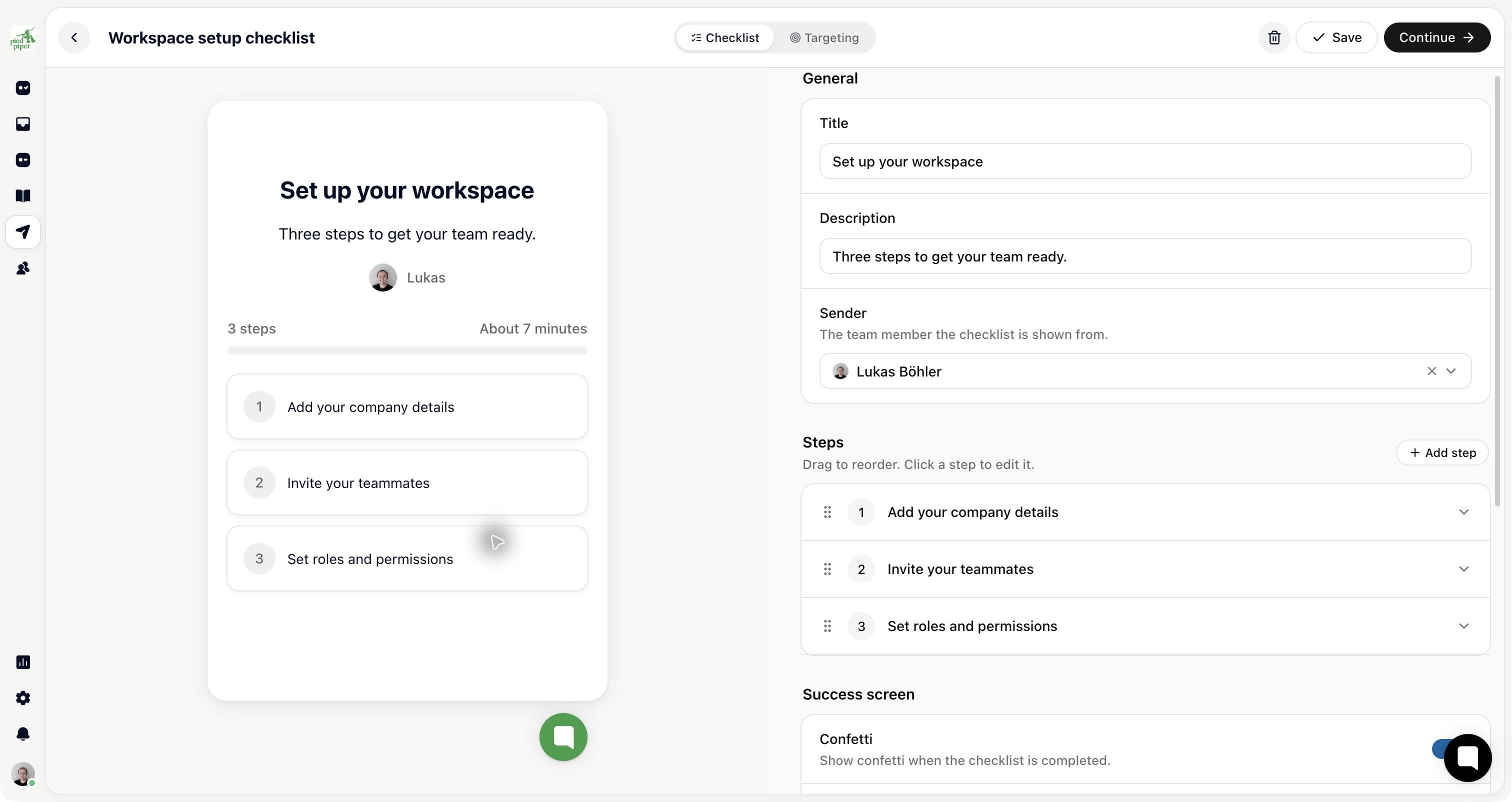
Under General, set the Title, Description and Sender.
Under Steps, click a step to edit it, or add more. Drag to reorder.
Under Success screen, set the title and description, and switch on Confetti if you like.
Under Display, choose Where to show: Classic popup on the page or Inside widget.
Click Continue, choose who gets it on Targeting, and click Launch.
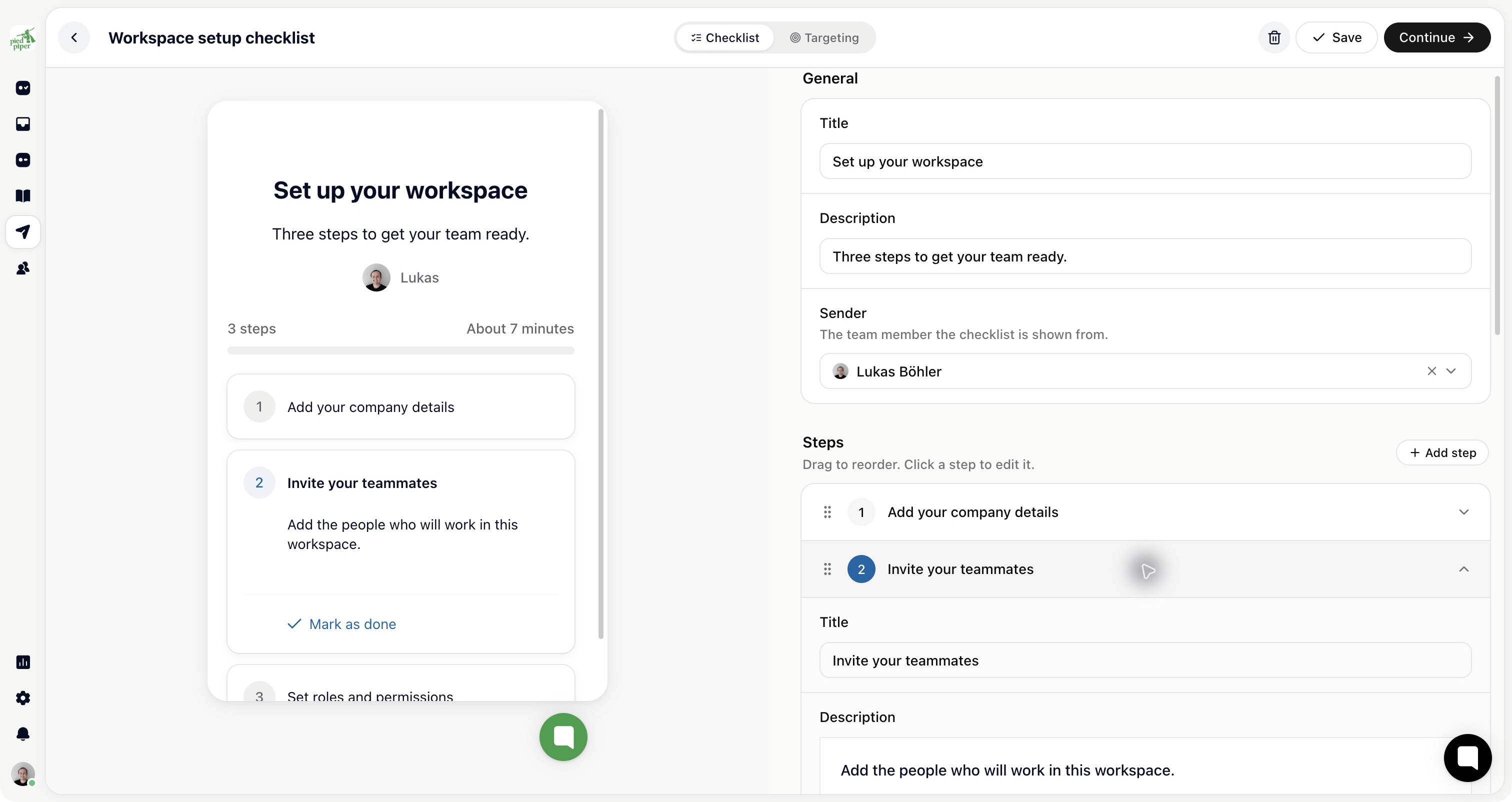
A Title and Description.
An Estimated time. It does real work: “2 min” turns a vague obligation into something someone does now.
An Action with its Button text: open a URL (optionally in a new tab), start a product tour, show an article, or Start custom action to trigger something in your own app by name. Close widget closes the messenger when the action runs, so people get on with the task.
This is the decision that makes or breaks a checklist.
Automatic completion with Resolve on event: the step completes when your app tracks the event you pick for that person.
Manual completion: the user ticks it themselves.
For example, to complete the starter's “Invite your team” step automatically, have your app call Gleap.trackEvent("invited-teammate") when an invitation is sent, then pick that event under Resolve on event. A checklist that stays unticked after someone did the work tells them your product isn't paying attention.

As a Classic popup on the page, or Inside widget, where the messenger opens on the checklist. You can also start it from your code with Gleap.startChecklist("<checklist id>") or embed it as a component in your web app; the Targeting tab shows the snippets for your checklist.
Three to five, and only the ones that lead somewhere.
Pick what someone must have done before your product is useful: connect the thing, invite the person, do the task once.
Leave out “Read our documentation” and “Follow us”. They serve you, not the user, and make the whole list feel like marketing.