A workflow doesn't have to stay inside Gleap. The Custom API action step calls an endpoint of yours during a conversation, to look up an order, check a subscription or record something in your own system, and what comes back can be used by the steps that follow. It works in conversation, pipeline and survey workflows.
In the workflow, click Add step and choose Custom API action (under Workflow & integration).
Enter an Action name, such as "Get customer orders". This is what you'll pick in later steps to use the result.
Enter the API URL and choose the method: POST (the default), GET, PUT, PATCH or DELETE.
Under Headers, add what your endpoint needs for authentication with Add Header.
Under Request body, either keep Send all available data on, or switch it off and write your own JSON body. GET requests have no body.
Click Send test request and check what comes back.
Paste an Example response (see below), then close the panel.
Placeholders work in the URL, the headers and the body, so you can pass through what Gleap already knows: the contact, the ticket, and values collected earlier in the flow.
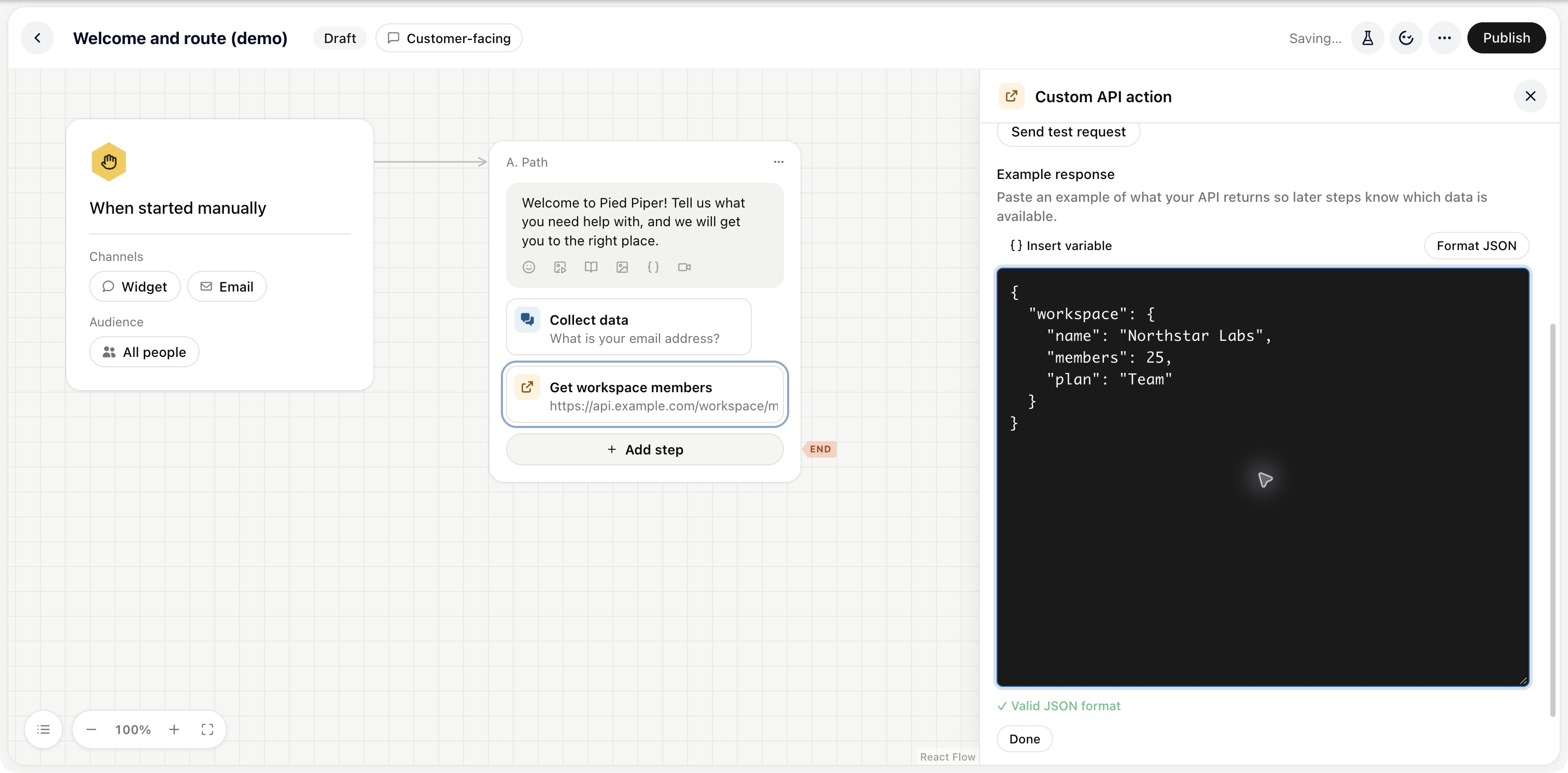
This is the field that makes the rest work. Paste an example of what your API returns, and Gleap uses it to know which fields exist. Later steps then offer those fields to you instead of asking you to remember the shape of your own JSON.

Once the call succeeds, its data is available downstream: put an order status into a Write a message step, branch on whether a subscription is active with a Condition, or store a value with Set data attribute.
Pair it with Buttons from API where the options themselves come from your data. A customer choosing which of their three orders they're asking about is a far better experience than typing an order number.
Your endpoint will be slow or unavailable at some point, and the customer is waiting in a live conversation while it happens. The step has no timeout setting and no separate failure path, so build one yourself: after the call, add a Condition that checks a field you expect in the response (you'll find the fields under API action results), and send the other branch to a person. Handing over is a perfectly good outcome, and better than a flow that stops with nothing said.
Keep the endpoint fast and return the smallest useful response.


