An agent that looks up orders needs to know whose orders. Instead of hard-coding anything, you put placeholders in the tool's settings and supply the values when the agent runs.
In an API call tool you can use {{...}} placeholders in the URL, in any header and in the request body. They use dot notation, and these roots are available:
{{context.anything}}: values you pass in from your app. This is the one you control.
{{session.userId}}, and likewise email, name, phone and customData: the identified contact, with no work on your side.
{{ticket.id}}, plus title, status, priority, type and formData: the ticket the agent is working on.
{{params.x}}: the parameters the agent filled in itself.
{{auth.token}}: a per-user token your backend returns from the agent's Customer context endpoint (see below). It's kept on the server and never shown to the AI.
If you identify your users, {{session.userId}} already gives you the current user. You only need your own context values for things Gleap doesn't know, such as a tenant ID or an account number.
When you open an agent, pass a context object:
Gleap.startAgent("YOUR_AGENT_ID", {
  context: { tenantId: "acme-42" }
});
For a headless call, the same values go under additionalContext:
const { response } = await Gleap.sendAgentMessage(
  "YOUR_AGENT_ID",
  "Where is my order?",
  { additionalContext: { tenantId: "acme-42" } }
);
The keys in your placeholders are the keys you pass here. To see which keys an agent expects, open the ⋯ menu on the agent and choose Use in SDK. The Context keys box lists every {{context.key}} it found in the URLs and headers of the agent's API tools.
Values from the browser can be changed by the user. For anything that must be trusted, let your backend send it.
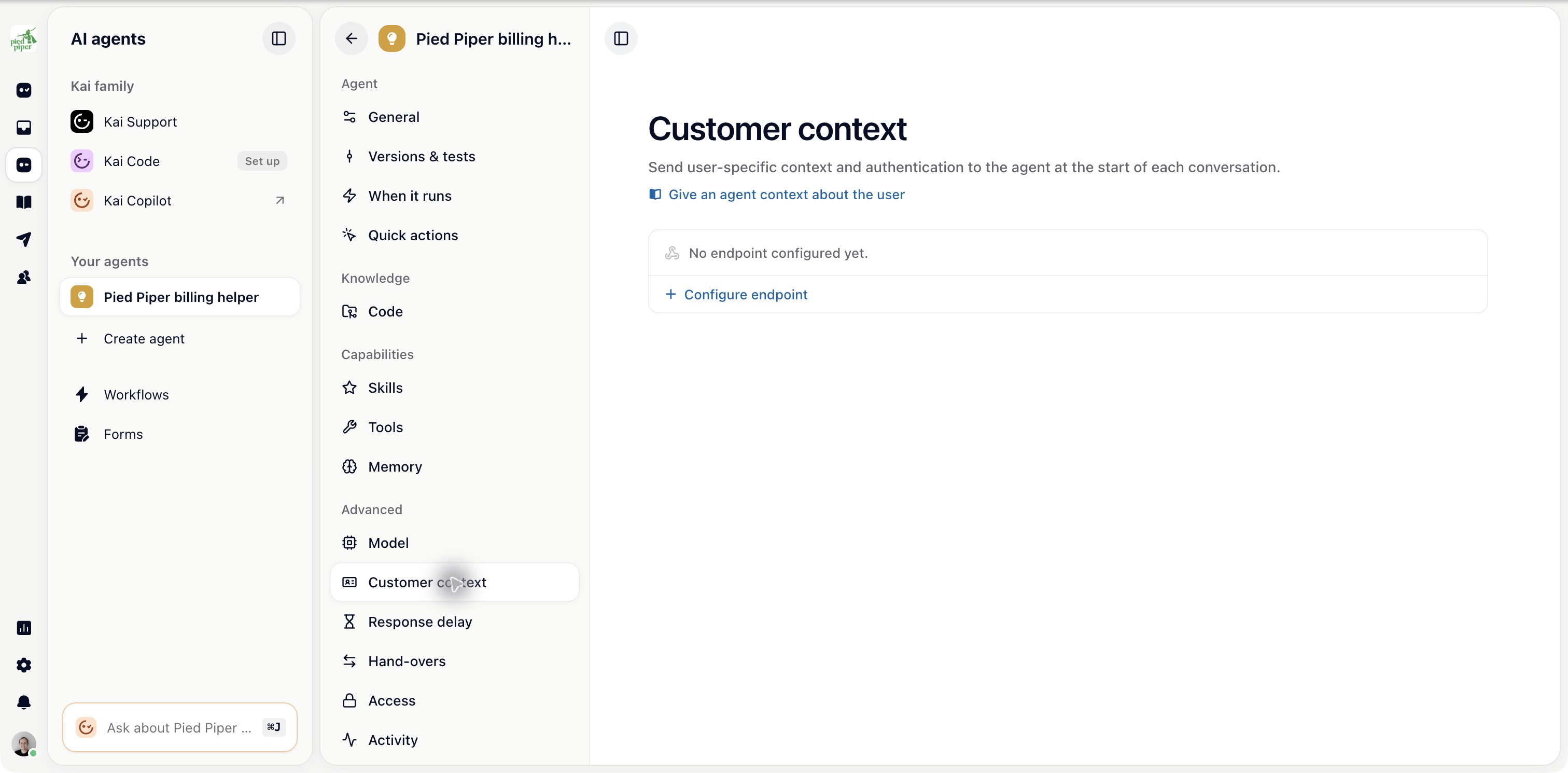
Open the agent and go to Settings → Customer context.
Choose Configure endpoint. In the Agent Context & Auth dialog, enter the Endpoint URL of your backend, plus any Headers it needs.
Make sure Enabled is on and save.
Have your endpoint answer with a context object, an auth object with a token, or both. The dialog shows the expected response under Expected response.
Gleap calls the endpoint when a conversation starts and sends the user and ticket details it knows. The context values become {{context.*}}. The token becomes {{auth.token}}.
Know this before it costs you an afternoon. If a placeholder has no value, it isn't left in place and it doesn't raise an error. It's replaced with the text null.
So a header meant to carry an account ID reaches your API as the word "null", and your endpoint sees a valid-looking request with nonsense in it. Whatever error comes back goes to the agent, which then tries to explain a failure it knows nothing about.
Check these values at your own endpoint and return a clear error when one is missing or invalid. A precise message travels back to the agent, and it can say something sensible instead of guessing.
Context from the SDK is added to the agent's prompt and comes from the user's own browser or device. Treat it as visible to them and as something they could change. Don't put an API key or a long-lived secret in it.
For a token that calls your API as the current user, use the Customer context endpoint and {{auth.token}}. For fixed service credentials, use the tool's own Headers, which are stored with the tool and never leave the server.


