When Kai Support can't settle a conversation, it can pass it to your team. This is off by default, so set it up before you go live.

Go to AI agents → Workflows and open the live workflow that greets your customers.
Select the Let Kai Support answer step.
Switch on Automatically forward the conversation to the support team if no answer was found.
Leave Send reply times when forwarding. on to tell the customer when to expect an answer, or switch it off if you'd rather not publish reply times.
Click Publish changes at the top of the workflow.
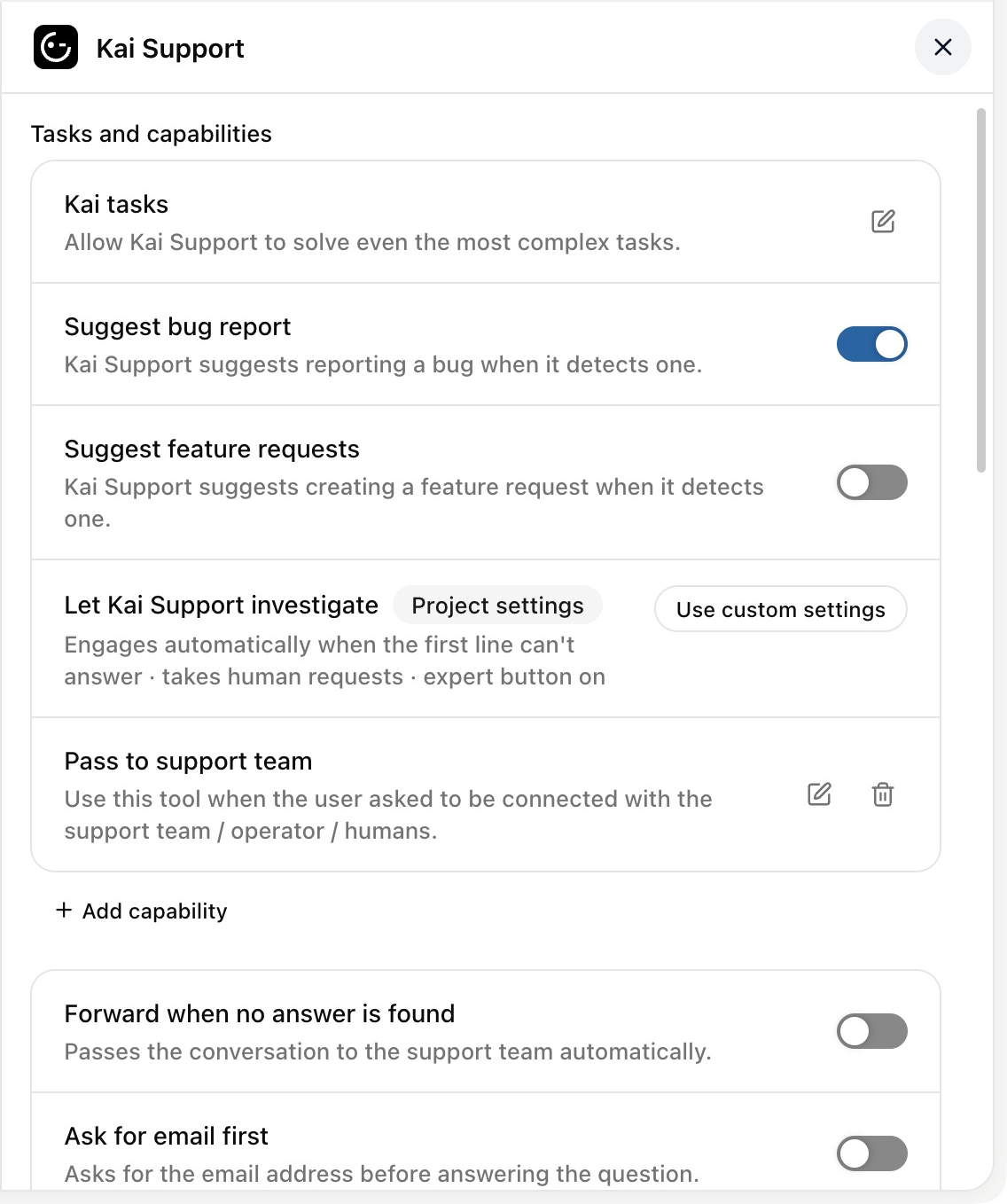
You can also add a handover as a capability: under Tasks & capabilities, click +. It adds Pass to support team (type Pass conversation to support team), with its own wording you can edit.
In two situations:
Someone explicitly asks for a person, such as "can I talk to support" or "get me a human".
The matter is something Kai can't settle from your content: a support, billing, account, order, refund or cancellation request.
Kai tells the customer it's passing them on, followed by the step's handoff text, so they know a person will pick it up.
Kai doesn't forward greetings, thanks, small talk, questions about what it is, or anything it just answered. Without those exclusions every conversation would end up in your inbox.
Kai also can't announce a handover it isn't performing. It may only say it's passing the conversation on when it actually does so in the same reply, so it never promises to fetch someone and then goes quiet.
While Kai Support investigations is on, a conversation on its way to your team, including a request for a person, goes to Kai Support investigations first. It investigates once, then hands over with its findings. See Kai Support investigations: a second level of support before your team.
A handover only helps if you can reach the person afterwards. If your messenger is open to visitors who aren't logged in, you may have no email address for them, and once they close the tab you can't answer.
In the same step, switch on Ask users for their email address before answering their question and word the message yourself. Contacts who already have an email address aren't asked.
Open the messenger in your own product.
Ask for a human in plain words.
Open your inbox. The conversation should be there, with Kai's handoff message in the thread.
If it isn't, the workflow you edited is probably not the one your customers run. Check that you changed the step in the live workflow.