HighLevel isn't in the Connectors list. It's one of the places you install the messenger. Agencies use it to put Gleap in front of every sub-account at once.
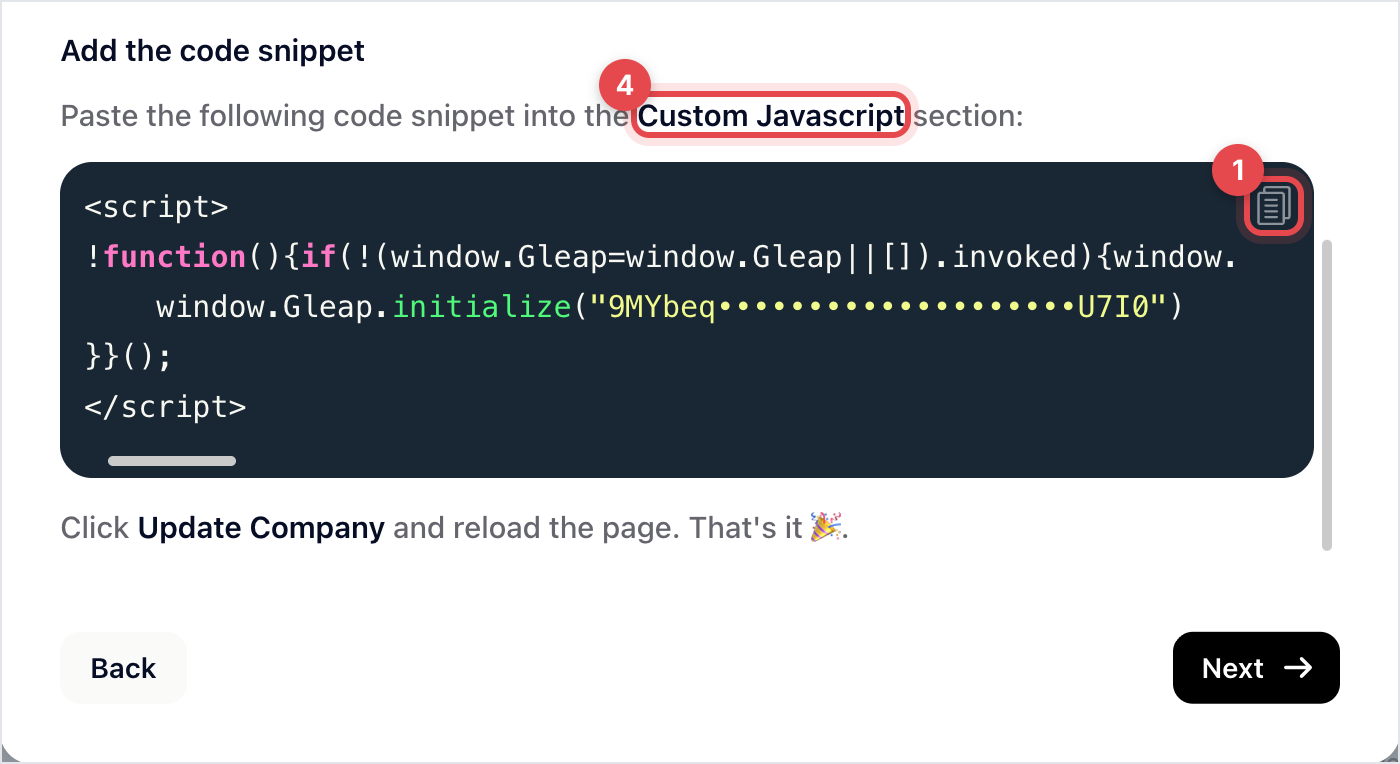
In Gleap, go to Settings → Widget → Installation, click Show the guide under Install myself and pick HighLevel. A guide opens on Add our code snippet. Copy the snippet with its copy button: it comes with your project's API key already in it.
In HighLevel, open the agency that manages your sub-accounts.
Go to Settings → Company.
Paste the snippet into Custom Javascript.
Click Update Company and reload the page.
Because it's set at the agency level, it applies across the sub-accounts that agency manages. That's the appeal, and also the thing to be careful about: everyone gets it at once.
The basic snippet gives you a working messenger with anonymous visitors. Click Next in the HighLevel guide for a second version, Identify your users, that also identifies the logged-in HighLevel user (name, email, phone) and records which sub-account they were in as the contact's company.
Use it. Without it, every conversation from HighLevel arrives from an unnamed guest, and you can't tell which sub-account it came from. Replace the first snippet with the second one; don't add both.

Open a sub-account, wait for the page to settle, and start a conversation. In Gleap the contact should carry a name and email rather than showing as a guest, with the sub-account as their company.
If the messenger appears but nobody is identified, the second snippet either wasn't saved or was pasted alongside the first. There should be one Gleap block in Custom Javascript, not two.
The snippet carries one project's API key, so everything lands in one inbox, with sub-accounts told apart by company. That's usually what an agency wants.
If a client needs their own inbox, their own team and their own reporting, that's a separate Gleap project, and a separate installation, not an agency-wide one.

