These are the least glamorous AI features in Gleap and among the most useful. They don't answer anybody. They make the queue readable, so your team spends less time working out what each conversation is about. Available on the Team plan and up; project admins switch them on.
Go to Settings → Inbox & tickets → AI assist.
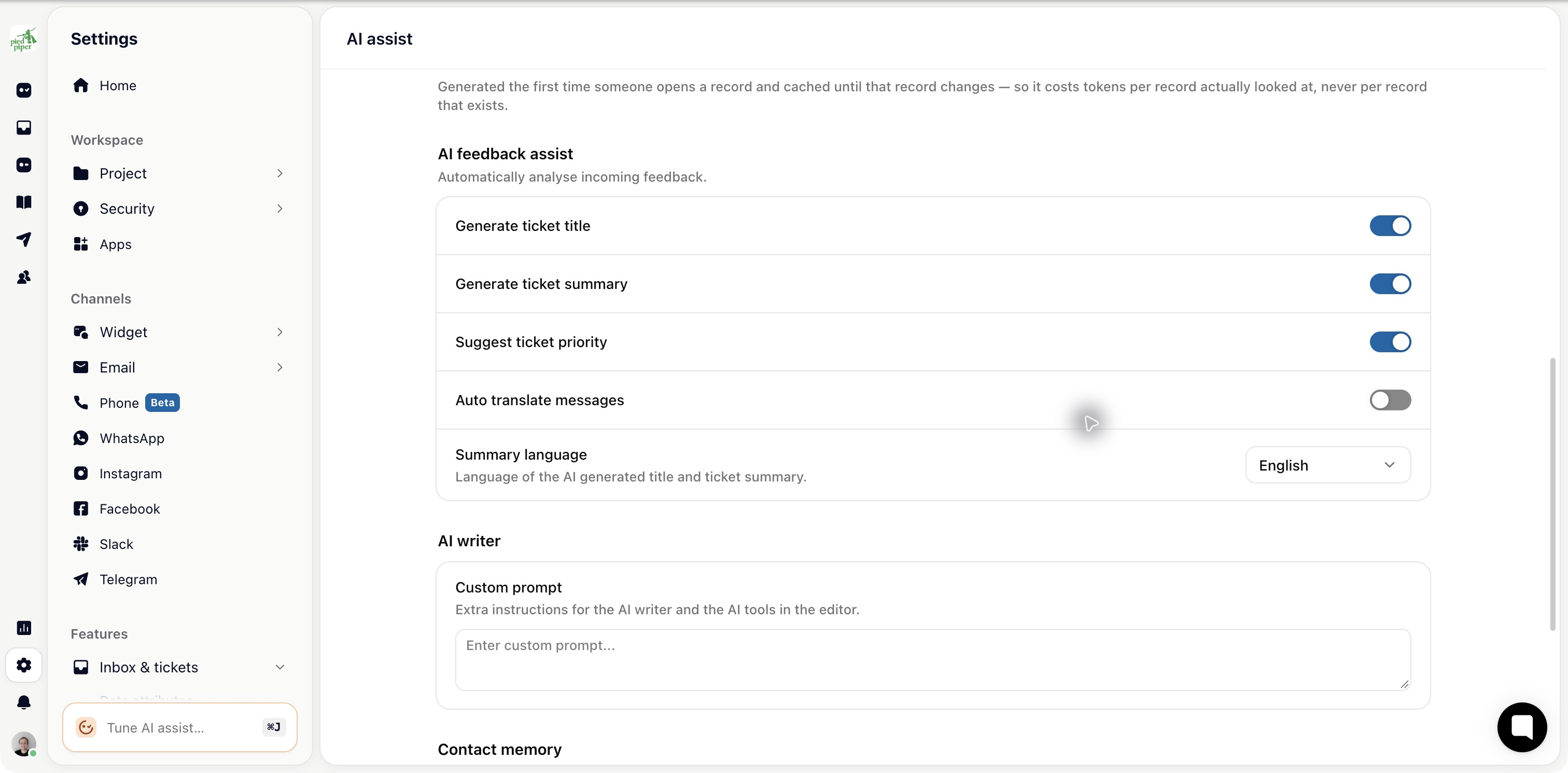
Scroll to AI feedback assist.
Switch on what you want: Generate ticket title, Generate ticket summary, Suggest ticket priority and Auto translate messages.
Pick the Summary language, the language generated titles and summaries are written in.
Each switch saves as soon as you flip it, and new tickets get the treatment from then on.
Conversations arrive without one. Left alone, a queue of twenty reads as twenty first lines, several of which are "Hi".
Generated titles turn that into something you can scan and search. This is the one to switch on first: it changes how the inbox feels more than anything else on the page.
A summary of the conversation so far, so someone picking up a long thread doesn't have to read twenty messages to find out where it stands.
It earns its place on threads that get handed over or ran through several people. On a two-message exchange, it adds nothing the messages don't already say.
A proposed priority based on what the customer wrote. Useful for surfacing the urgent thing that arrived politely worded.

Incoming messages are translated into your browser language, which lets a team answer languages nobody on it speaks. When you reply, choose Send & translate in the composer's send menu to send your answer in the customer's language.
Tagging is set up in a workflow with the Tag with AI step, not on this page. See Tag conversations automatically.
Each of these runs on incoming conversations, so they add up on a busy inbox. If you're watching AI spend, they're a reasonable place to be selective. Titles give the most back for what they use, and summaries are worth having only where threads get long.

