Investigations are the part of Kai Support that takes a closer look when answering a question needs more than finding an article. This capability was previously called Kai Resolve. It now lives in AI agents → Kai Support → Settings → Investigations.
Kai uses a stronger model, reads the conversation and available technical context, checks connected tools and can ask your team for input. Code checks run through Kai Code when configured.
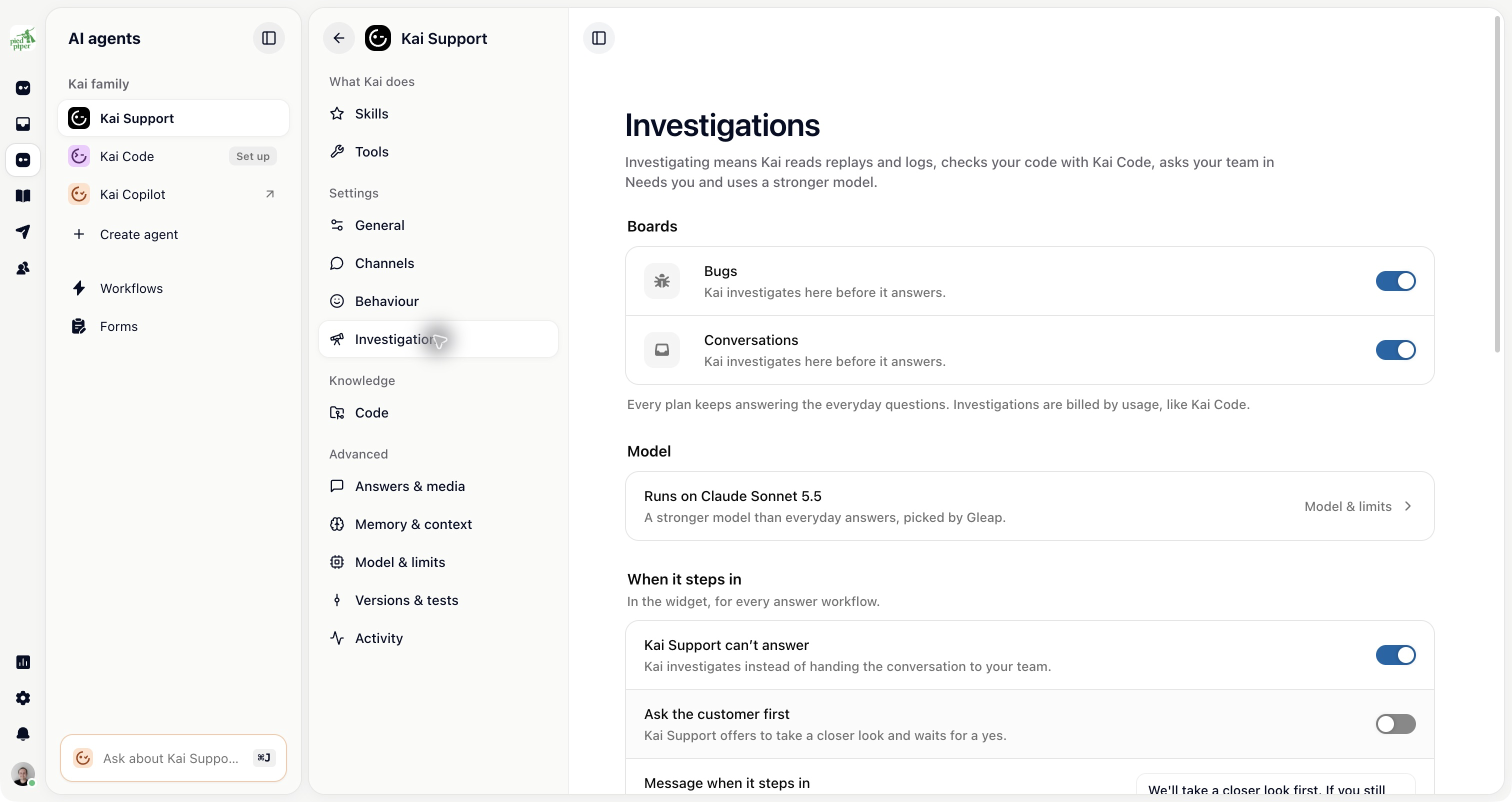
Customers keep talking to Kai Support. You maintain one name, behaviour, tool list and customer context rather than a second customer-facing agent.
The everyday answer and the investigation have different models and limits. Model & limits shows those settings. Investigations are usage based and need a plan that includes them.
The Boards section of Investigations shows the boards where Kai can investigate. Board teams determine which team works each board and whether Kai investigates before its people take over.
Administrators manage board teams under Settings → Project → Teams → Boards. If board teams are off, the Investigations page offers Turn on board teams. A board can have a blocker that must be resolved before its switch can be turned on.
The same page contains settings for cases that need a closer look, bug reports, automatic triggers and handovers. Workflows can also ask Kai to investigate. A workflow that sets its own investigation policy can differ from the project default, so check the workflow used by the customer.
An investigation needs usable evidence. Connect the knowledge, code and tools Kai should consult, and check their permissions. Kai cannot read a system that has not been connected or take an action its tools do not allow.
Kai can ask a question or request a decision in Needs you. Read the findings and provide the missing information in the task or agent conversation.
If Kai cannot finish, or a configured limit is reached, your team receives the conversation with its findings. Hand-overs land on controls the destination for supported handovers; bug reports continue to land on Bugs.
Try a real kind of support question in a demo environment, then inspect the conversation, tool activity and handover. Check that a customer asking for a person reaches the path you intend.

