For a shop, the first question on almost every ticket is "which order is this about?". Connecting Shopify puts the customer and their orders next to the conversation, so nobody has to search the Shopify admin mid-conversation. Only project admins can connect it, and it needs the Team plan or higher.
Go to Settings → Connectors and click Add connector.
Pick Shopify. Under What should Shopify do?, keep the jobs you want ticked and click Continue with Shopify.
Enter your store's address, either your own domain or your-store.myshopify.com.
Click Install the Gleap app and approve the install in Shopify.
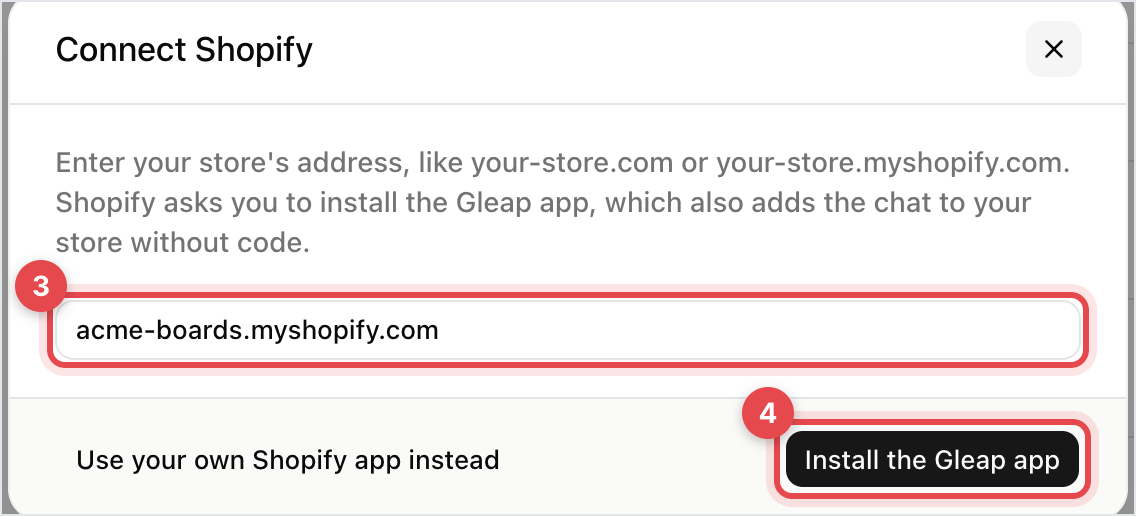
Installing the Gleap app also adds the chat to your store without code.
In the Shopify Partner Dashboard, create an app with these access scopes: read_customers, read_orders, read_products, read_returns, write_returns and read_discounts.
In the Gleap dialog, click Use your own Shopify app instead.
Fill in the Client ID and Client Secret from your app's credentials, and the Shop Domain, the part before .myshopify.com. Pasting the full URL works too.
Click Connect Shopify Store and authorise the app in Shopify.
Once it's done, the page shows Shopify Store Connected with the store's address and a link to its admin, which is the quickest way to check you connected the right one. write_returns lets Kai start a return for a customer; the other scopes only read. Without the returns and discount scopes, Kai can't start returns or check discount codes.

The customer's Shopify details and their latest orders, on a card next to the conversation. A returns question opens with the order already in front of you, rather than after two rounds of "which order number?".
Go to Settings → Connectors, open Shopify and use the switches under AI tools:
Kai looks up orders: order status and tracking. On by default.
Kai recommends products: products from your live catalogue, with prices and stock. On by default.
Kai starts returns: the customer confirms in the chat, or a teammate approves first.
Kai shares discount codes: checks a code the customer asks about.
Kai handles refunds: Kai asks a teammate to approve each refund. It never refunds in Shopify by itself.
The match runs off the customer's email, so a contact with no email address can't be matched. Shoppers who checked out as a guest with a different address are the usual gap, and there's nothing to fix there beyond asking for the order number.
If you connected your own app and no orders show, re-check its access scopes against the list above. A connection without read_orders has no orders to show, which reads like a bug and isn't one.

