A summary for the person filling in a security questionnaire or answering "where does our data actually go?". The contractually binding version is Gleap's Data Processing Addendum; this page is the readable one.
Conversations: tickets and every message in them, across all channels.
Contacts and companies: what you and your product send, such as names, email addresses, custom attributes and events.
Technical data from reports: console logs, network requests, replays, device and page information.
Uploaded files: screenshots and attachments from the messenger and the dashboard.
Your configuration: help center content, workflows, agents, surveys and settings.
The middle two are where personal data arrives without anyone deciding to send it. Both can be limited in your SDK setup: see Control what the SDK captures.
Region | Where your databases and backups live | How you get it |
|---|---|---|
EU | DigitalOcean, Frankfurt, Germany | Pick Europe under Data region when you sign up. |
US | DigitalOcean, NYC3, New York, United States | Pick United States under Data region when you sign up. |
Every new workspace picks its region at signup, on any plan. Settings → Developer → API keys shows a project's Data region. Moving an existing workspace to the other region is a migration Gleap runs on the Enterprise plan: see Move your workspace to the US data region.
Three things are worth naming in a questionnaire:
Uploaded files are stored with Cloudflare, in separate storage for each region, and delivered through Cloudflare's global network. Screenshots and attachments can contain personal data.
AI features send content to the AI providers listed on the sub-processor page. Choosing a model doesn't choose where it runs, so AI processing can happen outside your region. AI only runs when AI features are used.
Other providers, such as email delivery, are listed on the same page with their locations.
Your data stays while your account is active, with these exceptions:
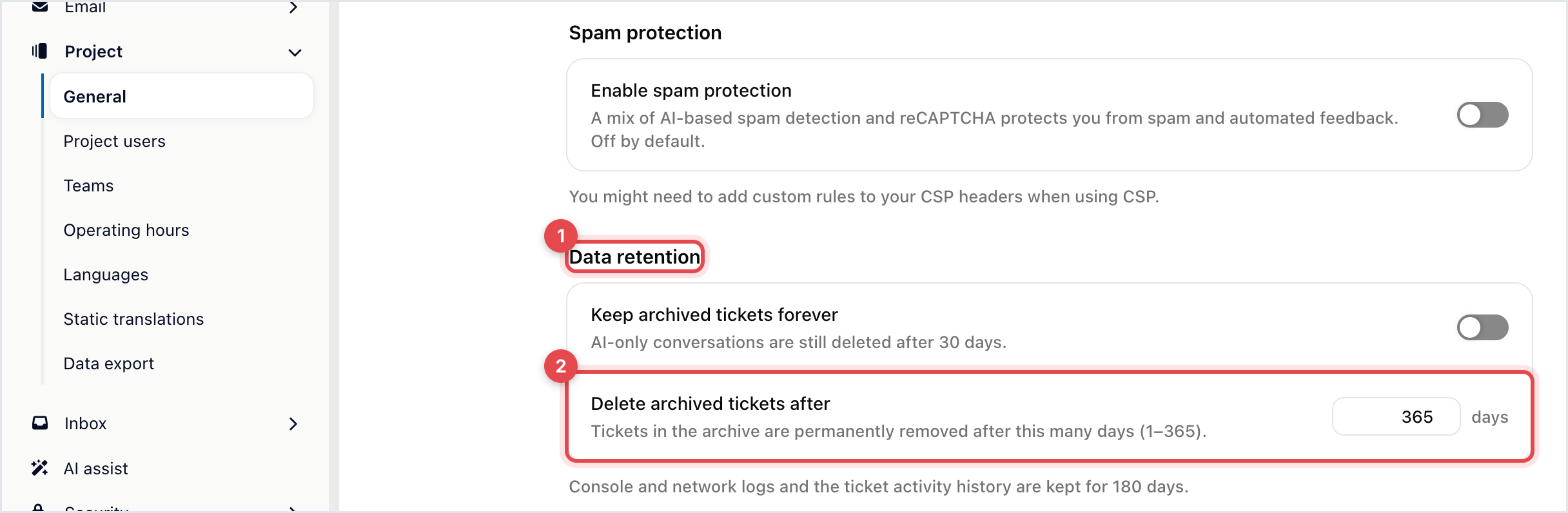
Archived tickets are deleted after 365 days by default. You can shorten that to anything from 1 to 365 days under Settings → Project → General → Data retention → Delete archived tickets after.
Keep archived tickets forever (Pro and up) skips that deletion. If your plan stops including it, archived tickets are deleted again after a 30-day grace period.
AI-only conversations that were archived are always deleted after 30 days, even with keep-forever on.
Console and network logs and the ticket activity history are kept for 180 days.
Tickets that aren't archived, contacts and companies have no automatic expiry. Deleting a contact deletes their tickets with them, and deleting a project or organisation removes what it held: see Export or delete data.

Data is encrypted in transit and at rest, customer workspaces are logically isolated, and access to production systems is controlled and traceable. The security page has the details, and GDPR, the DPA and sub-processors covers certifications and breach notification.

