Your users can ask you what you hold about them and ask you to delete it. Because you're the controller, those requests land with you rather than with Gleap, and both take a couple of clicks.
Go to Contacts and open the contact.
Open the actions menu on their page and choose Export contact data.
Read the JSON file before you send it.
The file holds the contact's details and their 50 most recent tickets. It has the ticket records, not every message in them, so check their conversations too if the person asks for those.
Go to Contacts and open the contact.
Open the actions menu and choose Delete contact.
Confirm.
This removes the contact together with all their tickets, including the messages and files in them, their survey answers and their email send history.

If someone wants to stop hearing from you rather than disappear, choose Unsubscribe from emails instead. It keeps the history, and Resubscribe from emails reverses it.
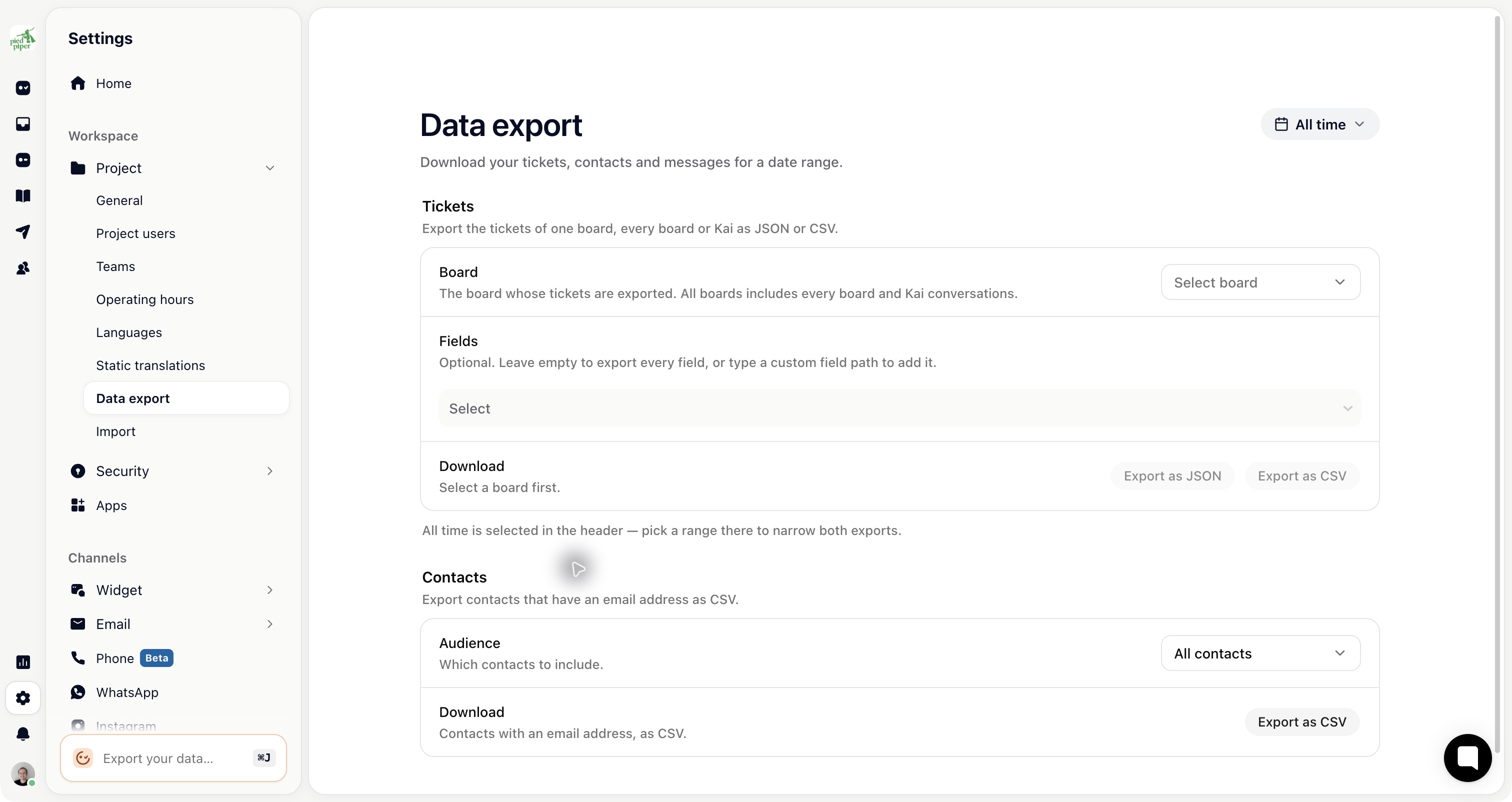
Project admins can export from Settings → Project → Data export:
Tickets: choose the Board, the Fields and the Filters, then download as JSON or CSV.
Contacts: choose an Audience (all contacts, users, guests, unsubscribed, bounced, or one of your contact lists), then download as CSV. Only contacts with an email address are exported.
The date range at the top of the page applies to both exports. For importing and exporting contacts in more detail, see Import and export your content and contacts.
Go to Settings → Project → General and scroll to Danger zone.
Next to Delete this project, click Delete project.
Type the project's name to confirm.
It deletes the project with its tickets, messages, contacts, workflows, integrations and settings. Export anything you want to keep first. It can't be undone.
open your profile menu (your avatar), choose Organizations, then Danger zone.
Click Delete organization and type the organisation's name to confirm.
Only organisation admins can do this, and every project has to be deleted first. It removes the organisation, its users and billing. What happens to personal data afterwards, including legal retention obligations that can outlast the account, is set out in Gleap's privacy policy.
Verify who's asking before you export or delete anything. "Delete my data" from an unverified email address is a request you should check, not act on: the person it affects may not be the person asking.
And delete the export file when you're done with it. It's personal data on a laptop, outside everything protecting it inside Gleap.
