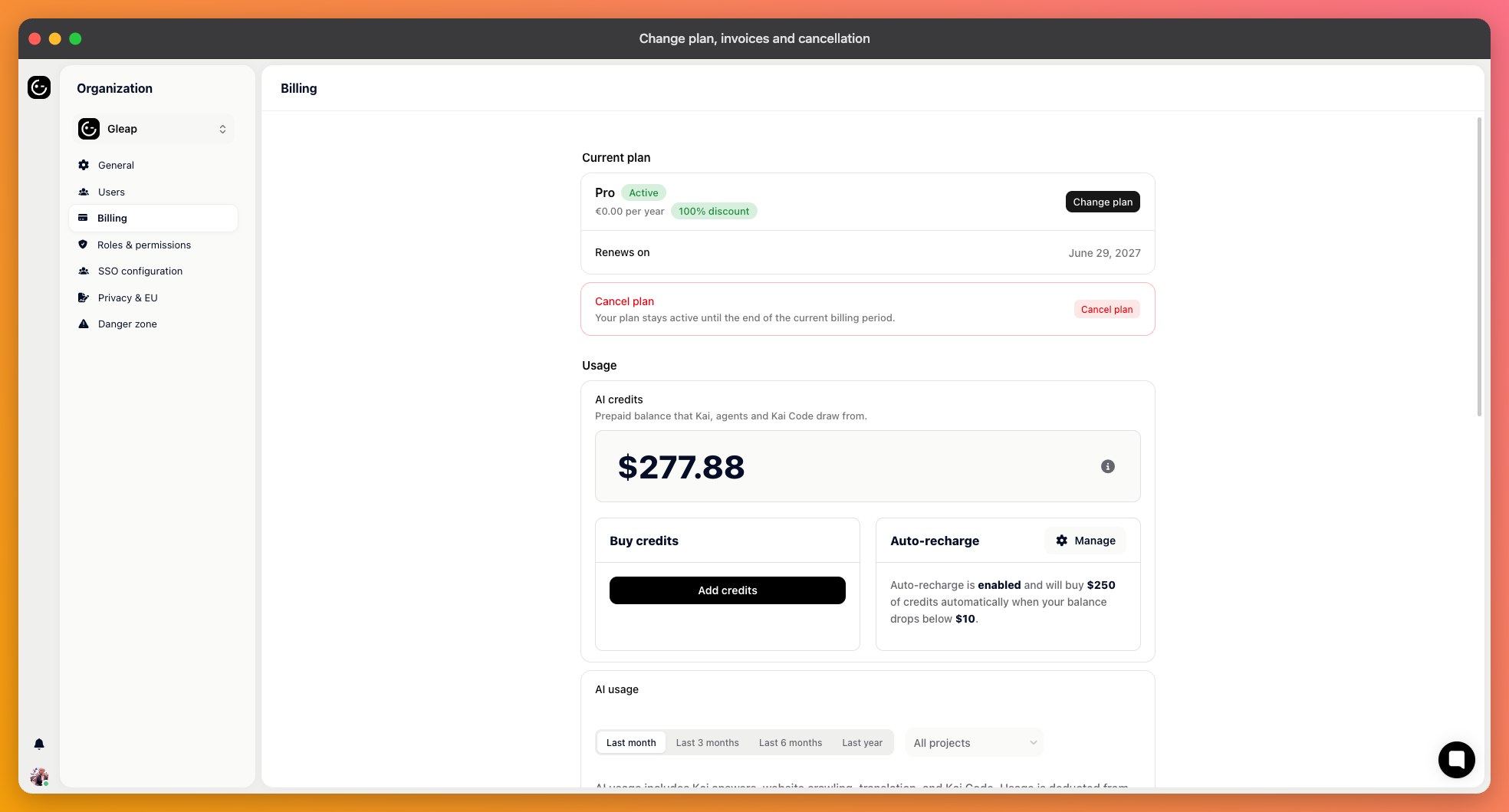
Billing lives at the organisation level, not per project, and it's available to administrators.
The billing page shows your current plan and what it costs, including any discount applied. Pick a different plan to change it. Upgrades take effect immediately, so a feature you upgraded for is there straight away.
Switching between monthly and yearly is the same operation. Yearly costs less per month, in exchange for committing for the year.
Moving to Starter keeps one seat and one project. Features Starter doesn't include pause on the change date; their settings are kept and come back if you move up again.
The same page holds your customer details, billing address and payment method, each with its own update action. Payment details are handled by Paddle, our payment partner, rather than stored by Gleap.

Past invoices are listed on the billing page, each downloadable. That's the self-service answer for finance: nobody needs to ask support for a copy.
Enterprise agreements can be paid by invoice rather than card.
Cancellation is scheduled rather than immediate: your plan runs to the end of the period you've paid for, and stops renewing. Cancel during the 7-day trial and nothing is charged; the trial runs to its end date.
While a cancellation is scheduled, the page offers Reactivate subscription, so changing your mind before the end date is one click and loses nothing.
When the end date passes, your workspace becomes read-only. Nothing is deleted and you can still read everything, but the widget turns off in your app, Kai Support stops answering and nothing goes out to your customers. Pick a plan in Billing to turn it all back on.
Cancelling is not the same as deleting your data. If you also want the data gone, delete the projects or the organisation deliberately, and export what you need first.
Two things are easy to forget. The widget turns itself off once your workspace is read-only, but the snippet is still in your product, so remove it when you tidy up. And any custom domain pointing at Gleap should be repointed before it dead-ends.
Credits are separate from the plan. Buying credits isn't a plan change, and cancelling a plan isn't a refund of unused credits. If you're winding down, stop auto-recharge first so it doesn't buy more on the way out.
The billing page is where it shows, and updating the payment method there is the fix. Cards expiring is the usual cause, and it's worth checking whether the card on file belongs to someone who still works with you.
If the first payment after your trial fails, your workspace is read-only until the payment goes through. Update the payment method in Billing and it turns back on.