A workflow reads correctly as a diagram and behaves differently in practice more often than anyone expects. The test sandbox lets you run it before customers do. It's available for conversation workflows that run in the messenger (the widget); workflows limited to other channels, pipeline and survey automations don't have it.
Open the workflow and click Test in the builder header. The Test workflow panel opens.
Choose who you are: Guest for an anonymous visitor, or Contact to run as one of your real contacts.
For Contact, find someone with Search contacts and pick them.
Click Save & run. It saves your draft and starts the workflow in the real messenger.
Go through the flow as a customer would: type, click buttons, and follow it wherever it goes. The Events timeline shows what happened at each step.
Click Open conversation to check the ticket the run created, including the attributes it set. To try another path, click Save & restart.
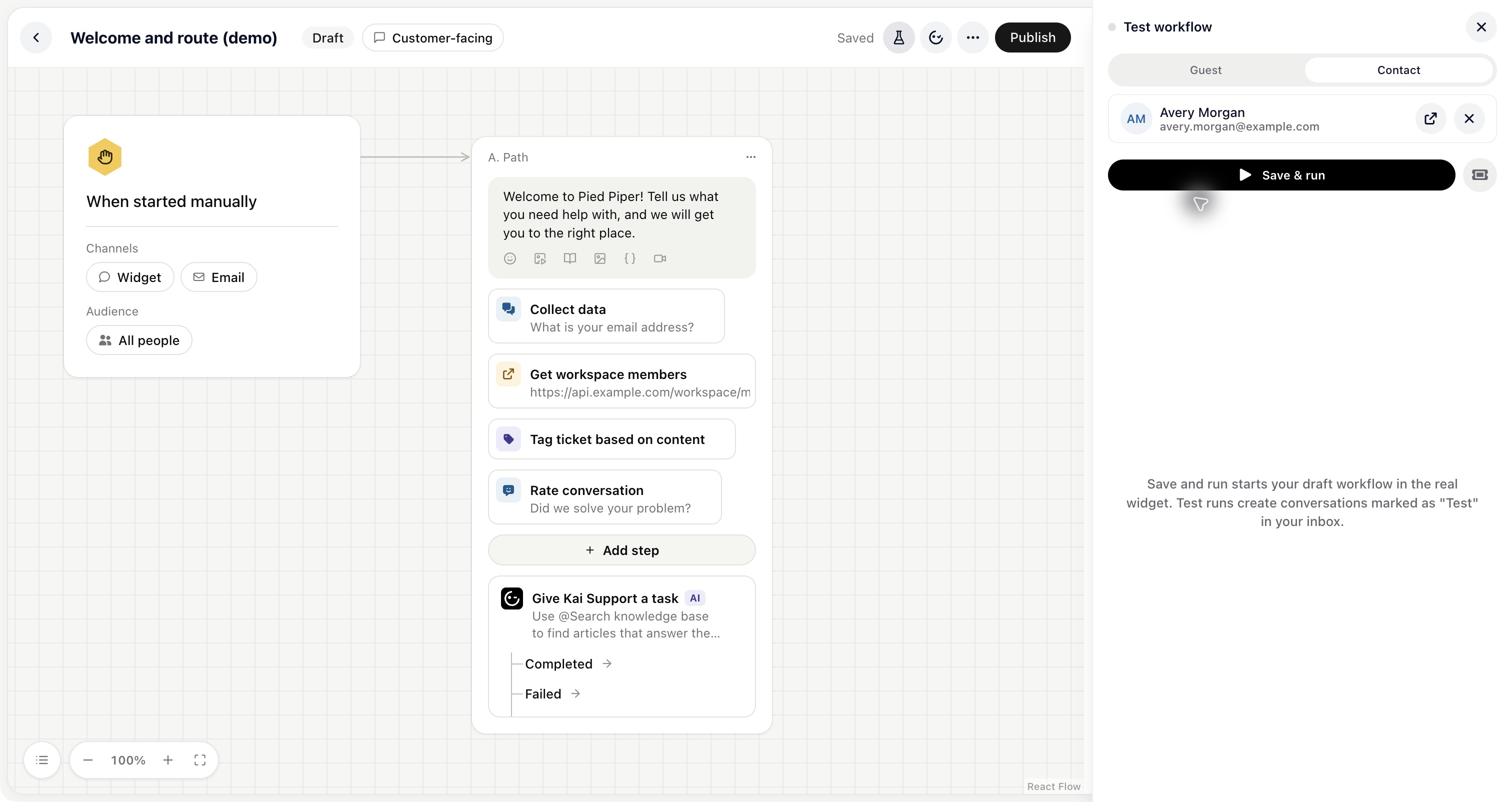
Test runs create real conversations in your inbox, marked Test, so they're easy to recognise and archive.

Run the flow as a real contact as soon as your workflow branches on who someone is. A condition on the plan, the language or a custom attribute can only be verified by running it as somebody who has that value, and as somebody who doesn't. Testing as yourself proves the flow works for you, which is rarely the case that breaks.

Every path, including the ones you expect nobody to take.
That a person can still be reached at the end, whichever way the flow went.
That API steps return what you assumed, and that the flow survives when they don't.
That collected answers land on the attributes you intended. Check the ticket afterwards, not just the conversation.
Testing doesn't put a workflow live; publishing does. Click Publish (or Publish changes on a live workflow). If something turns out wrong afterwards, Unpublish in the header's ⋯ menu stops the workflow straight away, without you having to unpick it under pressure.

