Some questions are better shown than explained. If you've built product tours, Kai Support can start one during a conversation: someone asks how to set up notifications, and instead of a paragraph they get walked through the screen. Product tours are part of Team and up, and they run on the web only, inside your product where the SDK is installed.
Go to Outreach → Product tours and open the tour.
Make sure the tour is live. Drafts and paused tours are never offered.
Under Use in AI bot, check that Kai Support suggestions is on. It's on by default for new tours.
Fill in the Description in the same section. A tour with an empty description is invisible to Kai, whatever else is set.
Under Start page, enter the URL where the tour begins, so there's a page to open it on.
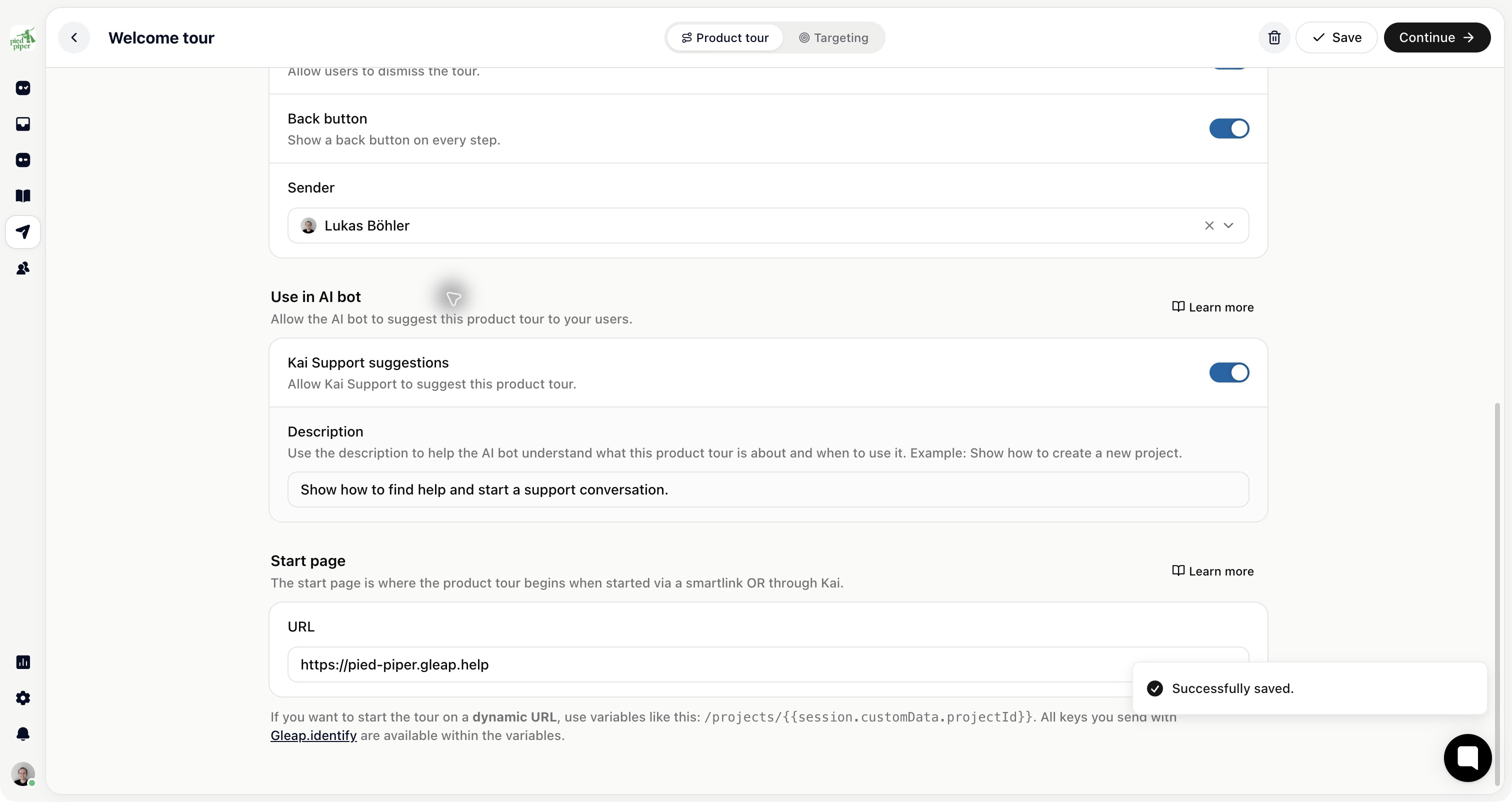
The description is the only thing Kai knows about the tour. It doesn't read the steps. Write what the tour shows, in the words a customer would use:
"Show how to configure notification settings."
"Walk through connecting a payment provider."
"Guide someone through creating their first project."
Internal names such as "Onboarding v3" or "Q2 activation flow" give Kai nothing to match a question against. If two tours have similar descriptions, Kai can't reliably tell them apart, so make each one specific about the task it covers.
Only when the customer asks to be shown something. Kai doesn't launch tours on its own or based on browsing behaviour: taking over someone's screen uninvited would be worse than a bad answer.

Open the messenger in your own web product.
Ask to be shown the thing the tour covers, in ordinary words.
Kai should offer the tour, and it starts on the start page.
If nothing happens, go through the steps above again. An empty description and a tour that was never set live account for most cases.