A satisfaction rating is the only direct signal you get about whether support helped. In Gleap it's a Rate conversation step in a workflow, normally one that runs when a conversation closes. The rating can be answered in the messenger or by email.
New projects already have a workflow called Conversation rating, created as a draft. It runs On ticket closed for messenger and email conversations, asks for the rating, and closes the conversation again. Go to Settings → Email → Support replies and look at the Rating workflow row: it says whether the workflow is live, or that rating requests are off because it's still a draft.
Go to AI agents, click Workflows in the sidebar, and open Conversation rating. If you don't have it, create a conversation workflow with the trigger On ticket closed and add the Rate conversation step (under Customer interaction).
Click the Rate conversation step and write the Question. Short and specific works best: "Did we solve your problem?" gets answered; "How would you rate your experience with our support team today?" gets skipped.
Put a thank-you in Additional message, not in the question.
Set Link expires after to a number of days: after that the rating link stops working. 0 means it never expires.
Choose who the rating counts for, and how it behaves by email (both explained below).
Click Publish (or Publish changes if it's already live). From now on, closing a conversation sends the rating request.
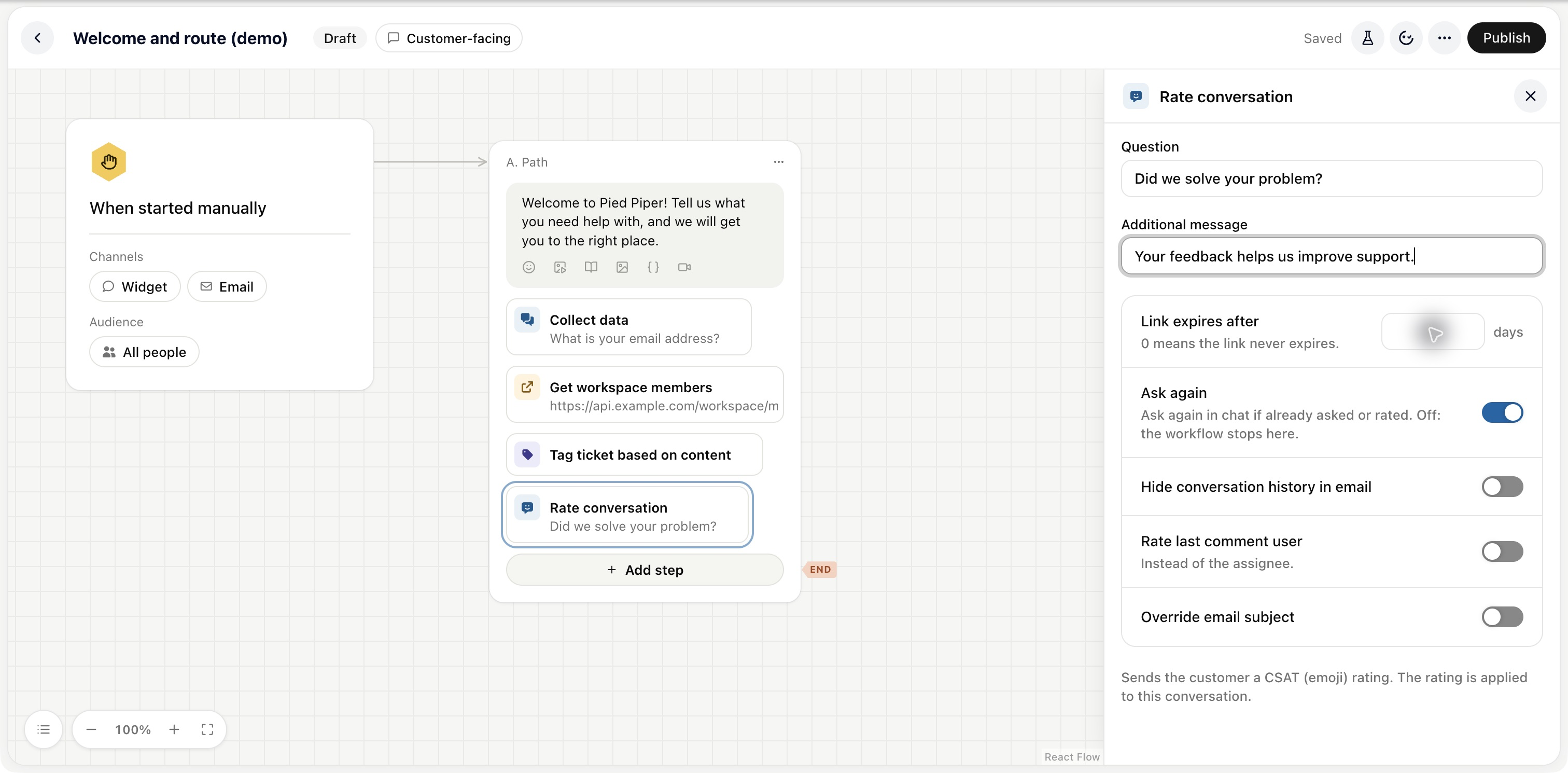
By default, a rating counts for the person the conversation was assigned to. Switch on Rate last comment user (Instead of the assignee.) to credit whoever wrote the last message instead.
Which is fairer depends on how you work. If conversations are assigned and stay put, the assignee is right. If they get handed around and whoever is free finishes them, the last responder is closer to the truth. Consider which pattern your team has before changing it.
If the customer was already asked, or has already rated, Ask again decides whether they're asked again in the chat. With it off, the workflow stops at this step instead.
Override email subject lets you set your own Email subject. You can use #ticketId and #ticketTitle in it.
Hide conversation history in email keeps the email short and focused on the one thing you're asking, and avoids sending a full transcript to an address that may be shared.
Ask immediately after closing, while the outcome is fresh. Ask once. And ask only where a rating means something: sending one after every automated exchange trains customers to ignore them, and then the requests that matter go unanswered too.


