Plenty of questions are answered by data you already have: where an order is, how much of an allowance is used, when a subscription renews. Custom widgets let the messenger fetch that from your backend and show it on the home screen, so the customer sees the answer instead of asking for it. Where sidebar apps show your data to agents, custom widgets show it to customers.
You need a developer for this: Gleap calls an endpoint you build. Project admins set it up.
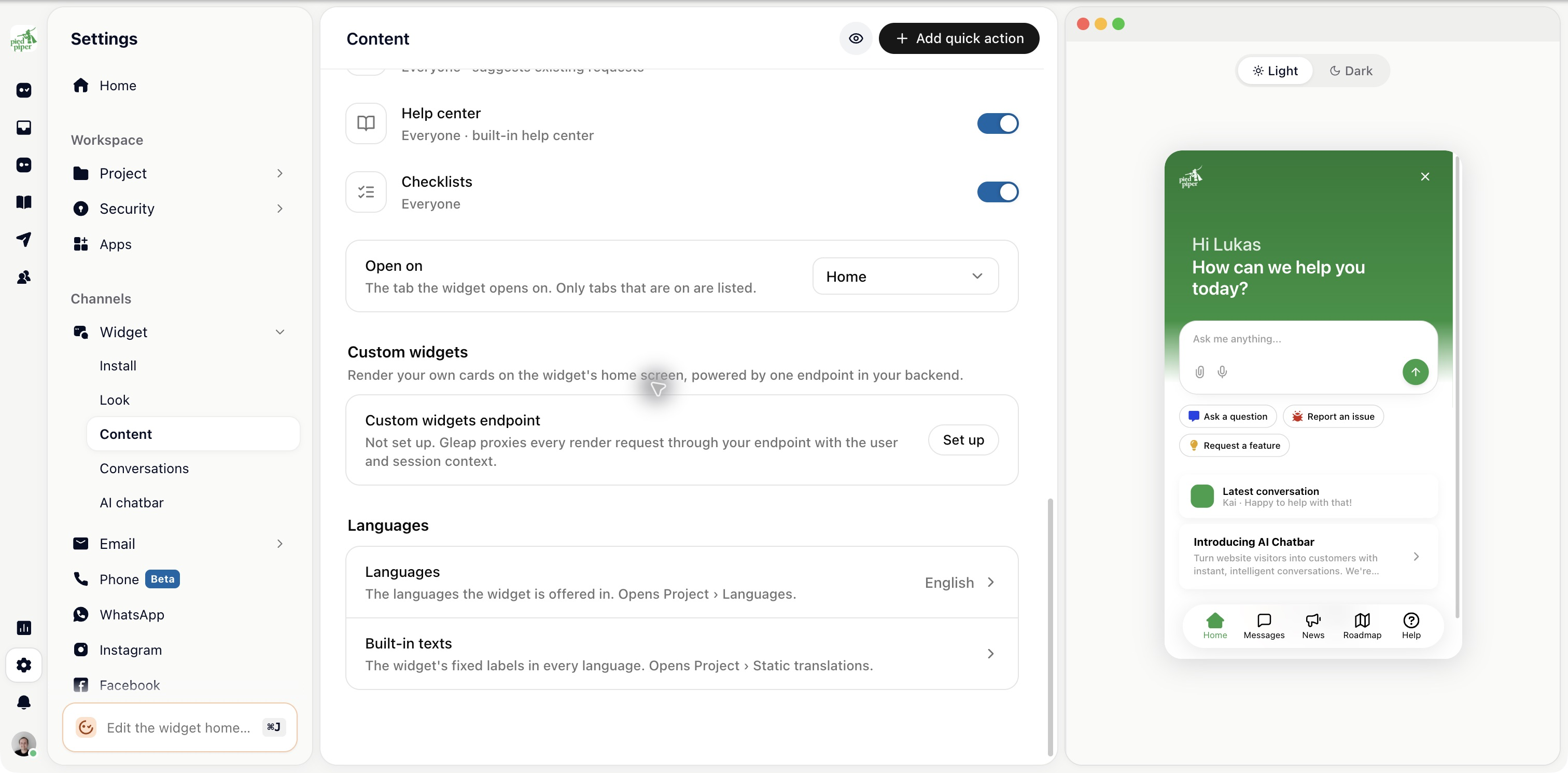
Open Settings → Widget → Content and scroll to Custom widgets.
Click Set up (it reads Configure once it's set up).
Switch on Enable custom widgets.
Enter the API URL Gleap should call. It must be a public http or https address.
Optional: add Custom headers your endpoint needs to authenticate the caller. They're sent with every request.
Click Save.
The next time a customer opens the messenger home, Gleap calls your endpoint and shows what it returns. The setup dialog also shows the response shape and an example response.
One endpoint serves everything. Gleap sends it a POST request with JSON like this:
{
  "type": "widgets",
  "context": {
    "user": {
      "id": "<gleap id>",
      "userId": "user-1042",
      "email": "[email protected]",
      "name": "Jane Doe",
      "customData": { "plan": "pro" }
    },
    "session": { "id": "<gleap id>", "gleapId": "<gleap id>" },
    "apiKey": "<your Project ID>"
  }
}
type is widgets for the home screen, or view when the customer opened one of your detail views. A view request also carries viewName and payload.
Before calling you, Gleap checks that the request comes from that contact's own messenger session, so the messenger can't ask about somebody else's account.

context.user rather than an ID from anywhere else in the payload. The userId is only as trustworthy as the sign-in that set it, so sign users in with an identity token and turn on Require a signature.For a widgets request, return a widgets list, one entry per card on the home screen. For a view request, return a single content list or an html string at the top level.
{
  "widgets": [
    {
      "id": "order-status",
      "title": "Live order",
      "content": [
        { "type": "text", "text": "Your package arrives Tuesday." },
        {
          "type": "button",
          "label": "View order",
          "style": "primary",
          "action": {
            "type": "open-view",
            "viewName": "order-detail",
            "payload": { "orderId": "A-1042" }
          }
        }
      ]
    }
  ]
}
Each widget has an id, an optional title, and either a content list or an html string. Content items can be text, image, button, key-value, divider or html. Anything else is dropped rather than shown. Typed content is themed to match your messenger, so it keeps looking right when you change your colours.
Buttons can carry these actions:
open-url: open a page.
open-view: open one of your own views inside the messenger, with an optional payload your endpoint receives. That's how a summary leads to a detail screen, such as a list of orders where each opens its detail.
The format also accepts custom-action and http-request buttons, but the messenger doesn't act on them yet, so those buttons do nothing.
Instead of typed content you can return an html string. It's sanitised before it's shown. An element with data-open-detail (and optionally data-payload) opens a view. An element with data-action="gleap-open-url" and data-action-data containing a url opens a link. Other data-action values aren't passed to your code yet.
If you set both content and html, the HTML wins and the typed content is ignored. Prefer typed content where it fits: it inherits your styling and can't break the layout.
Your endpoint must be on a public host. Private and loopback addresses are refused.
Requests time out after 10 seconds, and responses over 200 KB are rejected.
Gleap shows at most 100 widgets and 100 content items per widget, and cuts HTML off after 100,000 characters.
None of these affect a normal widget. They affect the version that tries to show a customer's entire order history on the home screen.
The home screen is glanced at, not read. One widget answering the most common question beats four competing for attention. Return nothing when you have nothing: an empty card takes space and teaches people to ignore that area.
Keep it fast. Your widgets only appear once your endpoint answers, while someone is waiting with the messenger open. A status and a button that arrive quickly beat a complete picture that takes three seconds.

