Push notifications reach your users when your app isn't open. Once they're set up, Gleap sends a push whenever your team or Kai replies in a messenger conversation, and you can send push campaigns from Outreach. Gleap delivers every push through Firebase Cloud Messaging (FCM), for web, iOS and Android alike. Setting it up needs a developer and a Firebase project. Only project admins see the settings page.
Gleap never asks for your users' device tokens. Instead, the SDK tells your app which Firebase topic belongs to the logged-in user, your app subscribes the device to that topic, and Gleap sends to the topic. When the user logs out, the SDK tells your app to unsubscribe.
In the Firebase console, open your project and make sure the Firebase Cloud Messaging API (V1) is enabled.
Under Service accounts in your Firebase project settings, generate a new private key. Firebase downloads a JSON file, usually named serviceAccountKey.json.
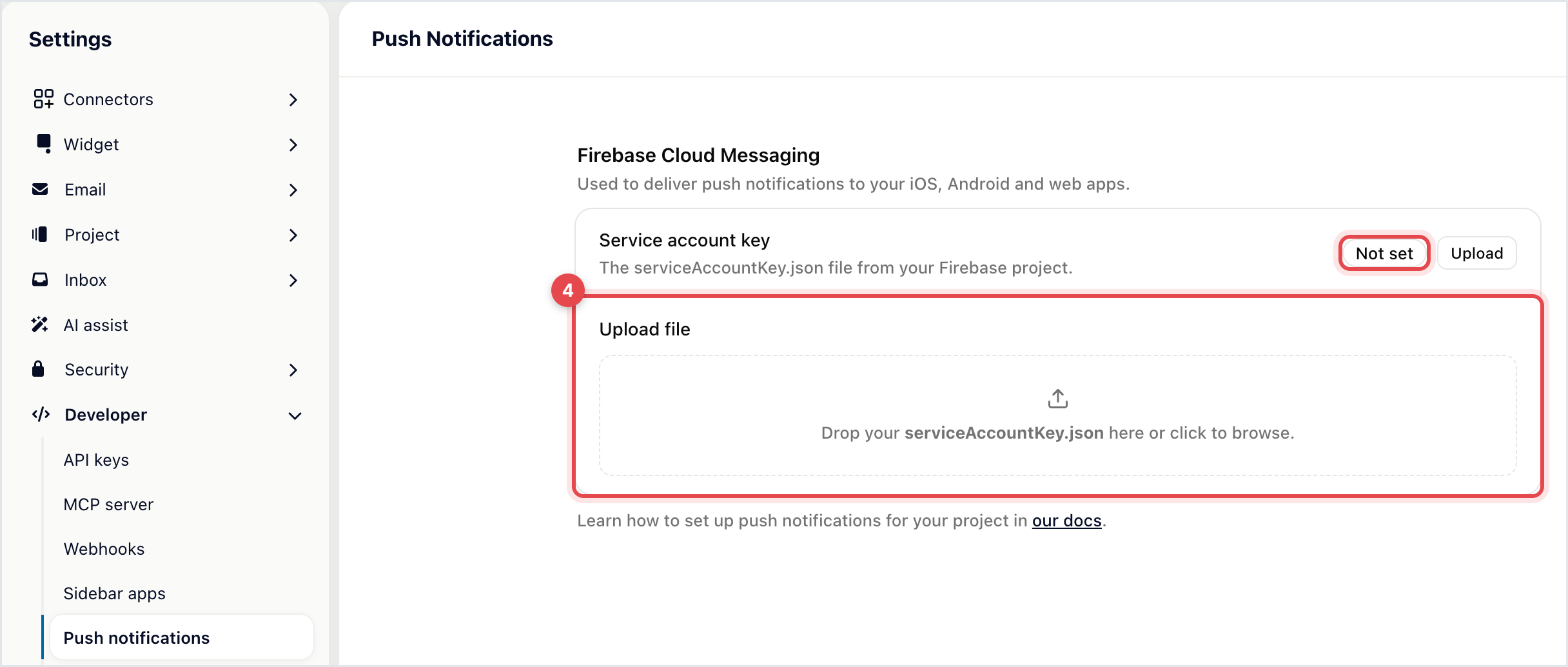
In Gleap, go to Settings → Developer → Push notifications.
Under Firebase Cloud Messaging, the Service account key row shows Not set. Click Upload next to it, or drop the file onto the Upload file area below.
The Service account key row now shows Configured. There's nothing else to save. Use Replace to upload a new key, or Remove to stop sending pushes.

This part happens in your code, and the steps differ per platform:
Web: listen for the SDK's register-pushmessage-group and unregister-pushmessage-group events and subscribe the browser's FCM token to the topic from your server.
iOS: implement registerPushMessageGroup and unregisterPushMessageGroup in your Gleap delegate. Pass taps on a Gleap push to handlePushNotification so the conversation opens. Images need a Notification Service Extension.
Android: set the register callback with setRegisterPushMessageGroupCallback and pass taps to handlePushNotification.
Flutter, React Native and Capacitor: follow the guide for your SDK.
The developer documentation has a step-by-step guide with code for each SDK, under Push notifications in the section for your platform.
Gleap.on("register-pushmessage-group", (topic) => {
  // Subscribe this browser's FCM token to the topic on your server.
});

Gleap.on("unregister-pushmessage-group", (topic) => {
  // Unsubscribe it again.
});A reply in a messenger conversation. Every message your team or Kai sends in a widget conversation triggers a push titled "New comment from" and the sender's name, with the start of the message.
A push campaign. Go to Outreach → Push notifications and click Create push notification.
A chat message or news item with its Push notification switch on.
Push campaigns are part of Outreach, available on Team and up. Reply notifications don't need Outreach: they start as soon as Firebase is connected.

identify and after every login.
