Open Kai Copilot → Settings → Roadmap & changelog. This is the current setup for the work previously called Kai PM. You need the plan and permissions shown by the page; the request board can still be worked manually.
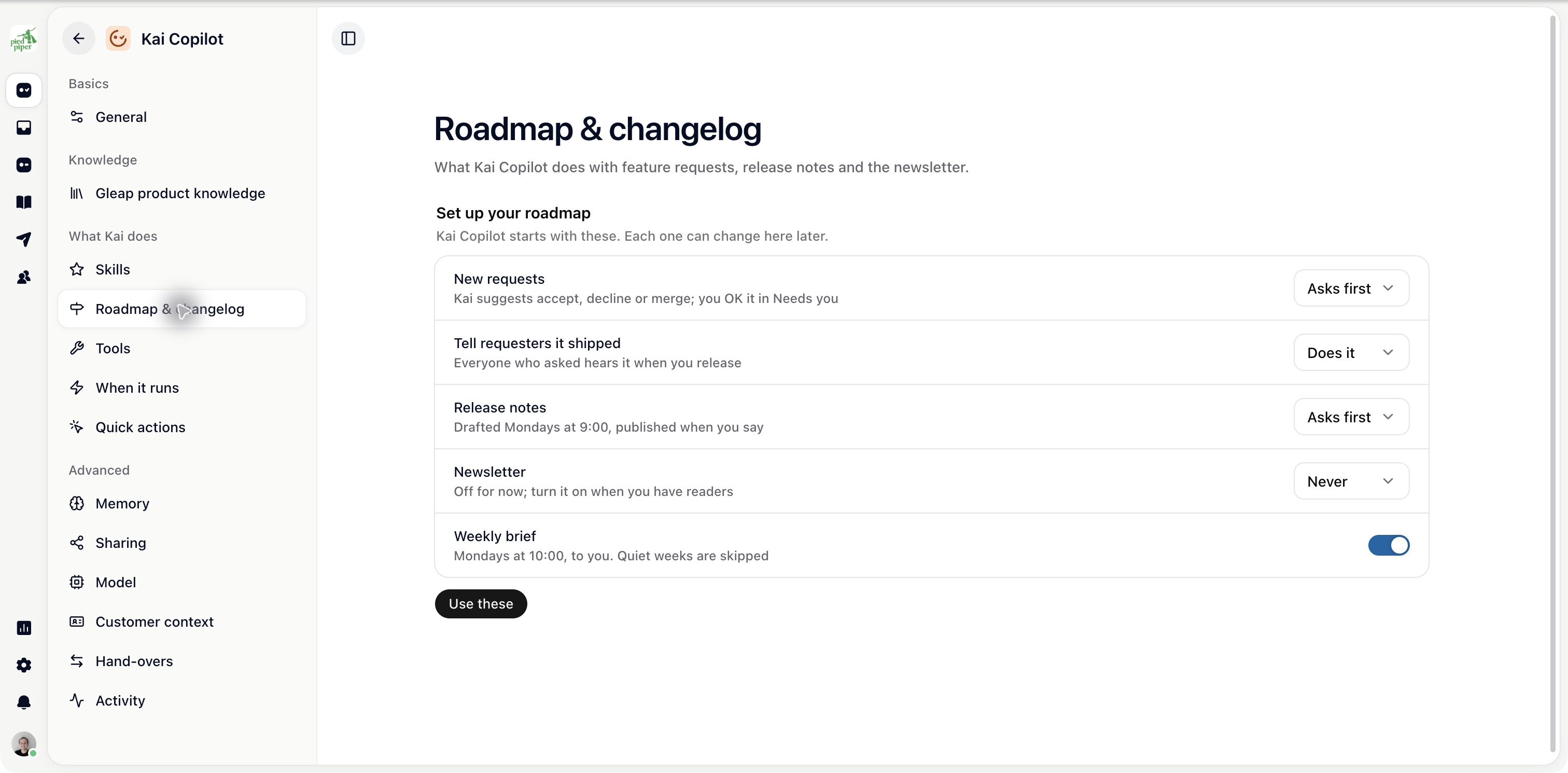
If roadmap work has not been set up, Set up your roadmap shows the initial choices. Review each one before choosing Use these:
New requests starts on Asks first.
Tell requesters it shipped starts on Does it.
Release notes starts on Asks first.
Newsletter starts on Never.
Weekly brief is offered on.
The text beside each choice says what it will do. You can change the choices before applying them and afterwards on the settings page.
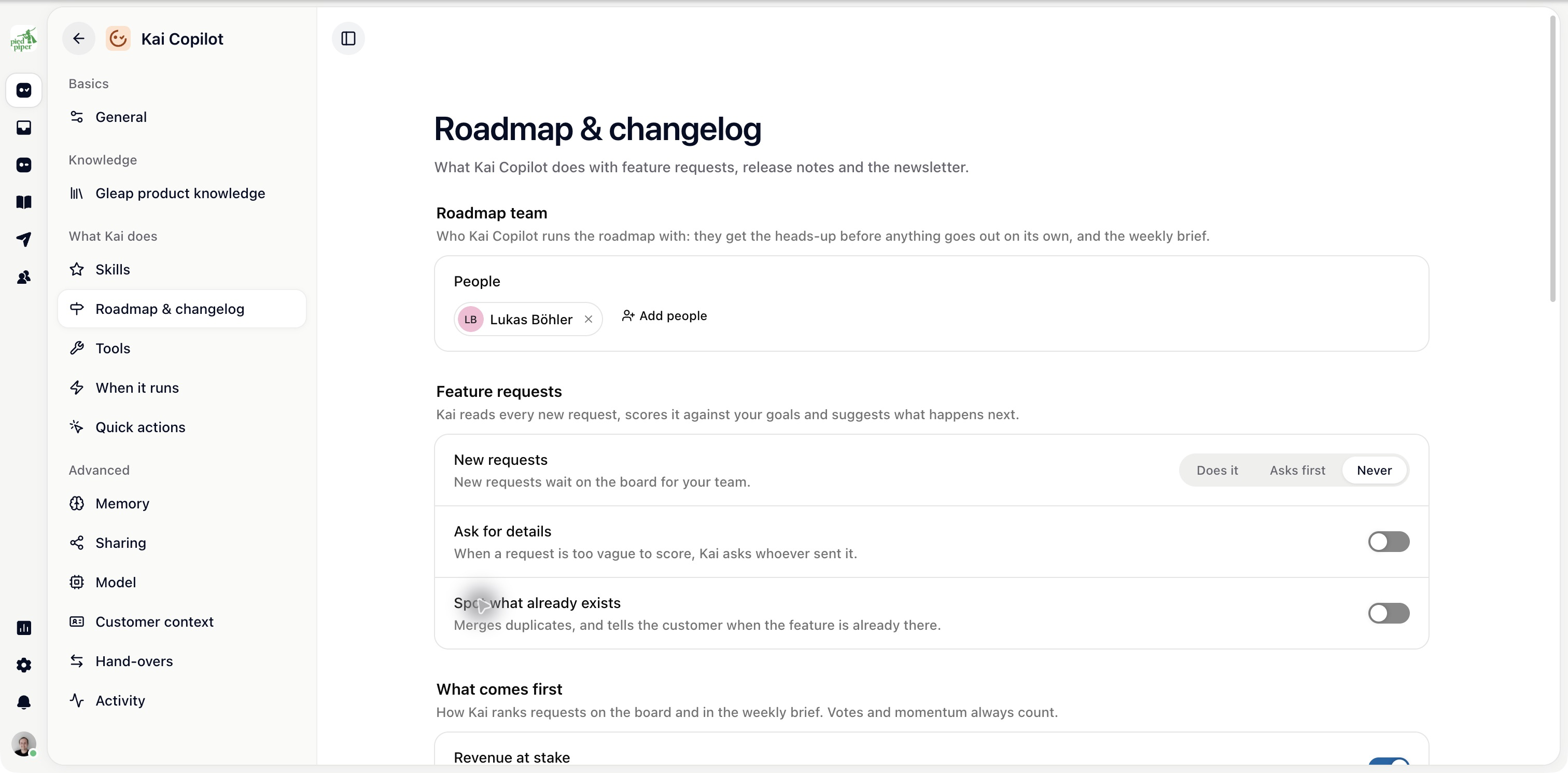
Add the people who should receive heads-ups, review work and receive the brief under Roadmap team. Make sure someone owns approval work before enabling a schedule.
Under What comes first, add Your goals, check the Company profile and decide whether Revenue at stake should count.
Use goals that help compare actual requests, such as improving onboarding for a particular customer group. Keep the company profile current when your product or audience changes.
Choose a mode for New requests. Use Asks first if your team should review decisions in Needs you, Does it for automatic decisions within the configured rules or Never for manual handling.
Review Ask for details and Spot what already exists separately.
Configure Tell requesters it shipped, Release notes and Newsletter individually. Review schedules, sources, writing style, newsletter recipients and sender before turning automatic sending on.
Open Inbox → Roadmap to check the first requests and Needs you to review proposals. Check the first routine run before relying on recurring work.

