Some conversations always need the same details before anyone can help: an order number, which product it's about, or what kind of problem it is. Asking up front saves a round trip. You build it as a workflow, then start that workflow from a home screen item.
Go to AI agents → Workflows and click New workflow, then choose Conversation workflow.
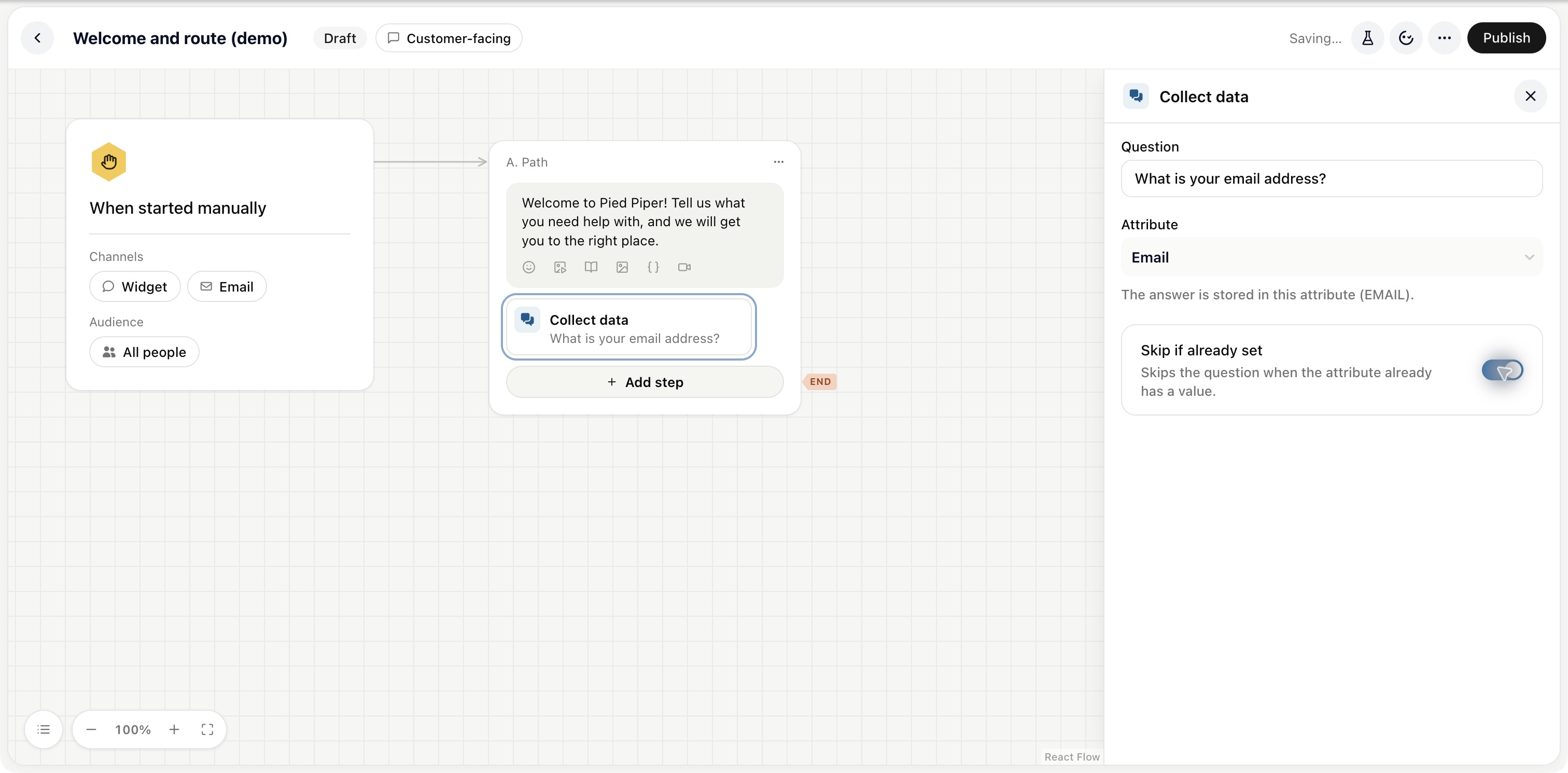
Add a Collect data step for each thing you want to ask. Write the question the customer sees, and pick the attribute the answer is stored in.
In each step, switch on Skip question, when data already set. (see below).
Click Publish. Your edits save as a draft on their own, but only a published (live) workflow can be picked from the home screen.
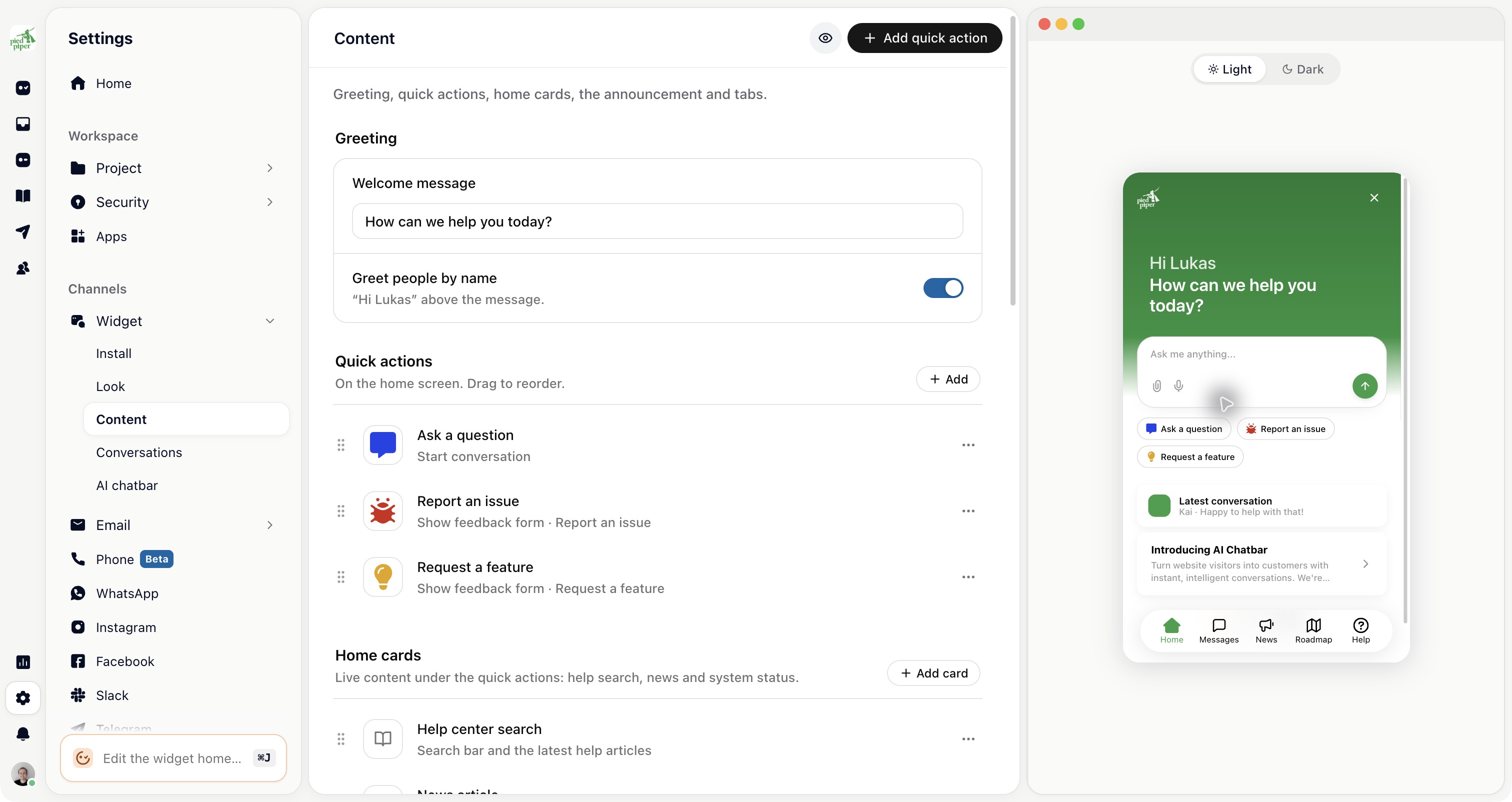
Go to Settings → Widget → Content.
Open a menu item, or click Add menu item.
Set Action to Start conversation and pick your workflow.
Click Save.
Customers who choose that item now answer your questions before the conversation opens.
You pick an existing attribute rather than inventing a field, and its type decides what's accepted: an email attribute won't take something that isn't an address. If the attribute has predefined options, the customer chooses from them instead of typing, which gives you a category you can actually route on rather than free text.
Because the answer lands on a real attribute, it's available afterwards: visible to your team, usable in routing rules, and, for contact attributes, readable by Kai.
With Skip question, when data already set. switched on, anyone whose attribute is already filled, because you identified them or because they answered last time, goes straight past that question.

Every question is a chance for someone to give up before they've told you anything. Two questions are usually fine; five feel like a form, and people either abandon it or answer carelessly to get through.
Ask only for what changes what happens next: something that routes the conversation, or that your team would otherwise have to ask for anyway. Leave out anything you're collecting because it might be interesting later.
Also check whether you need the questions at all. If Kai answers the question directly, the customer never reaches your team, and the details are never needed.

