Phone reporting has two views: Reports → Calls for past calls and Reports → Live calls for what is happening now. Both are marked Beta where shown in the app.
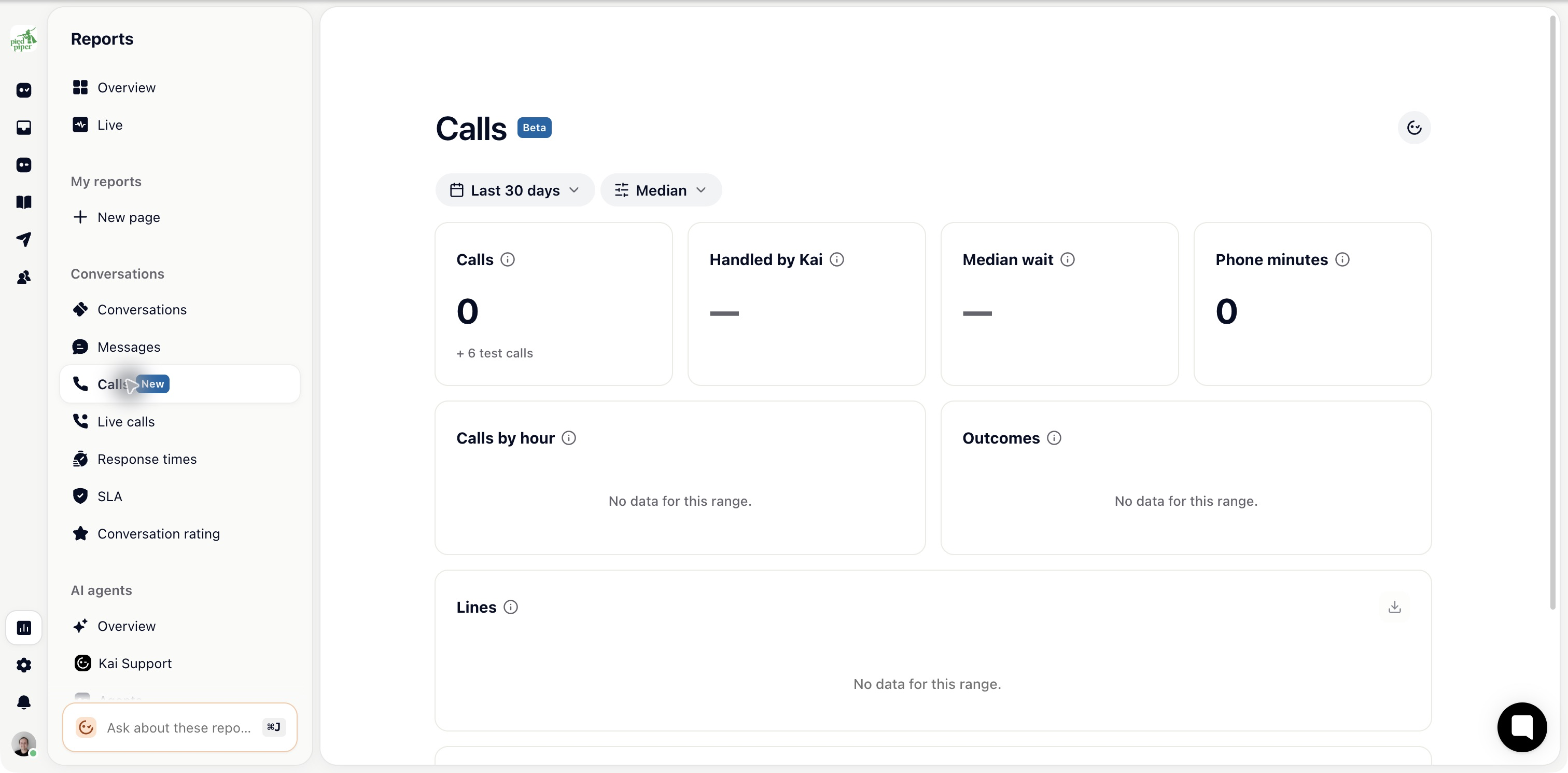
Open Calls, set the date range and apply the available filters. The report includes total calls, Handled by Kai, waiting time and Phone minutes, followed by calls by hour, outcomes, lines and top tags.
Outcomes distinguish Handled by Kai, Answered by team, Forwarded, Callback, Abandoned and Failed. A callback outcome means follow-up is required; it does not mean someone has called the customer back.
Use the line breakdown when different numbers serve different teams. Read waiting time alongside abandoned calls so a lower number is not mistaken for a better experience when callers leave early.
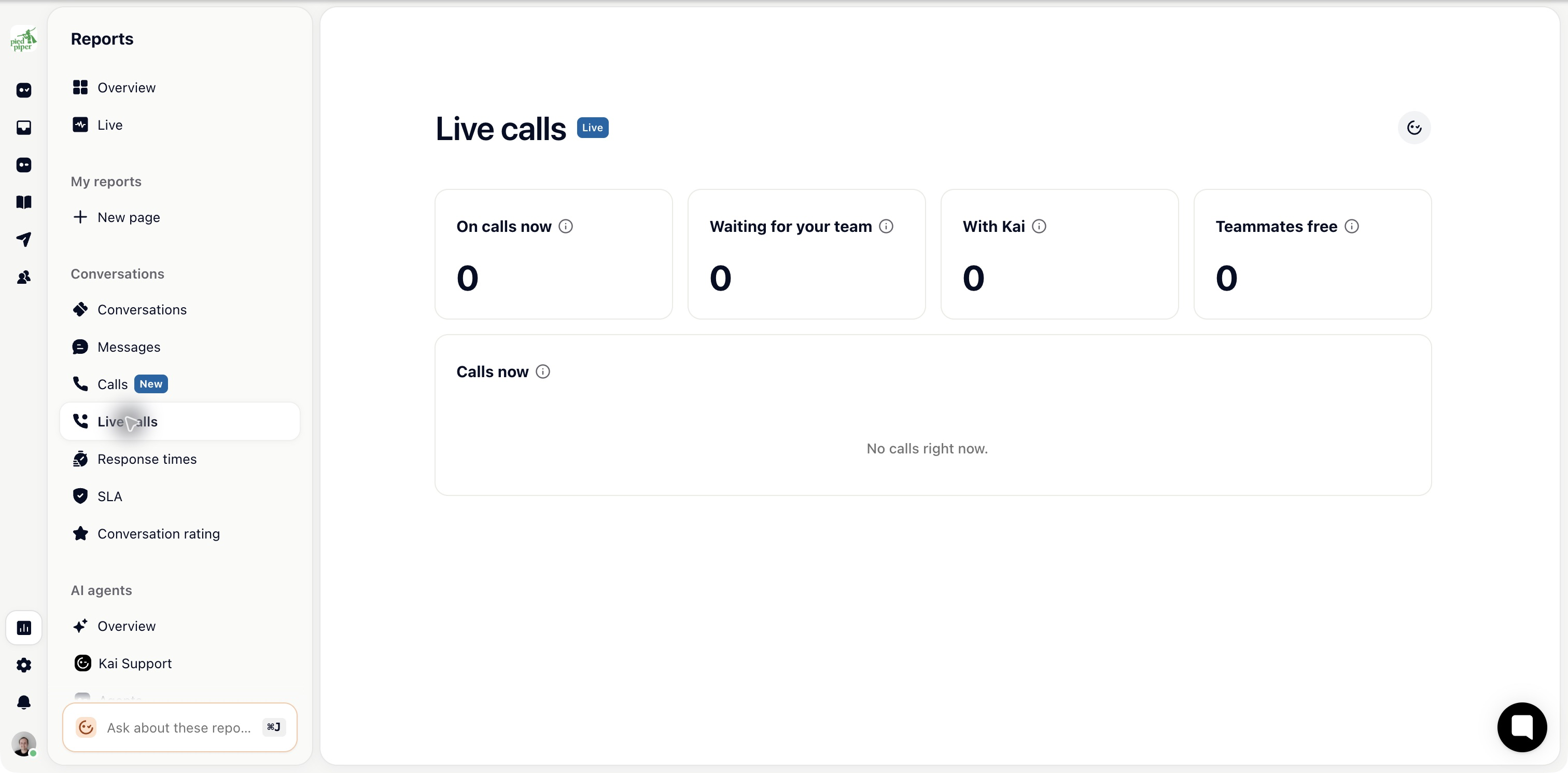
Open Live calls to see:
On calls now
Waiting for your team
With Kai
Teammates free
The current call list and ringing or hold states.
This page reflects live state. Use Calls for the completed history.
Seeing live calls has its own permission. A teammate may have access to that page without all reporting pages. Listening to recordings also requires the relevant permission and an existing recording.
A transcript and an audio recording are separate settings on the phone line. Open the ticket to review the context and follow-up attached to a particular call.

